
Audio van hoge kwaliteit opnemen voor betere transcriptieresultaten
We hebben de populairste tools voor audio-naar-tekst op de markt, voor iOS, Androidof Windows-platforms. De mogelijkheden van AI-tools zijn echter beperkt - de grootste factor die van invloed is op nauwkeurigheid van transcriptie is de kwaliteit van de audio. Het opnemen van heldere audio is de basi
We’ve reviewed the most popular audio-to-text tools on the market, whether for iOS, Android, or Windows platforms.
However, the capabilities of AI tools are limited — the biggest factor affecting transcription accuracy is the quality of the audio.
Recording clear audio is the foundation of accurate transcription. I’ve spent a lot of time experimenting with setups, and I can confidently say the better your audio, the less time you’ll spend fixing errors later.
Here’s what I’ve learned that works.
Why High-Quality Audio Matters
Poor audio means your transcription tool struggles to distinguish words, resulting in errors. Poor audio quality can reduce the accuracy of transcription tools like Otter to as low as 85%.
Clean audio isn’t just about sounding good—it’s about giving transcription software a clear signal to work with. Ultimately, it will significantly reduce the workload for post-editing and proofreading.
Understand Audio Quality Basics
Audio quality depends on bitrate and sample rate. I usually record at 44.1kHz sample rate and 256kbps bitrate in WAV or high-quality MP3. WAV files are bigger but retain more detail, which helps transcription accuracy.
Comparison of Various Audio Formats:
Audio FormatDescriptionProsConsWAVUncompressed, raw audio formatBest accuracy, high qualityLarge file sizeMP3Compressed audio formatSmaller file size, widely usedMay lose some detailAACCompressed format similar to MP3, Apple favoredGood quality, efficient compressionAlso lossy compression
Choose the Right Equipment
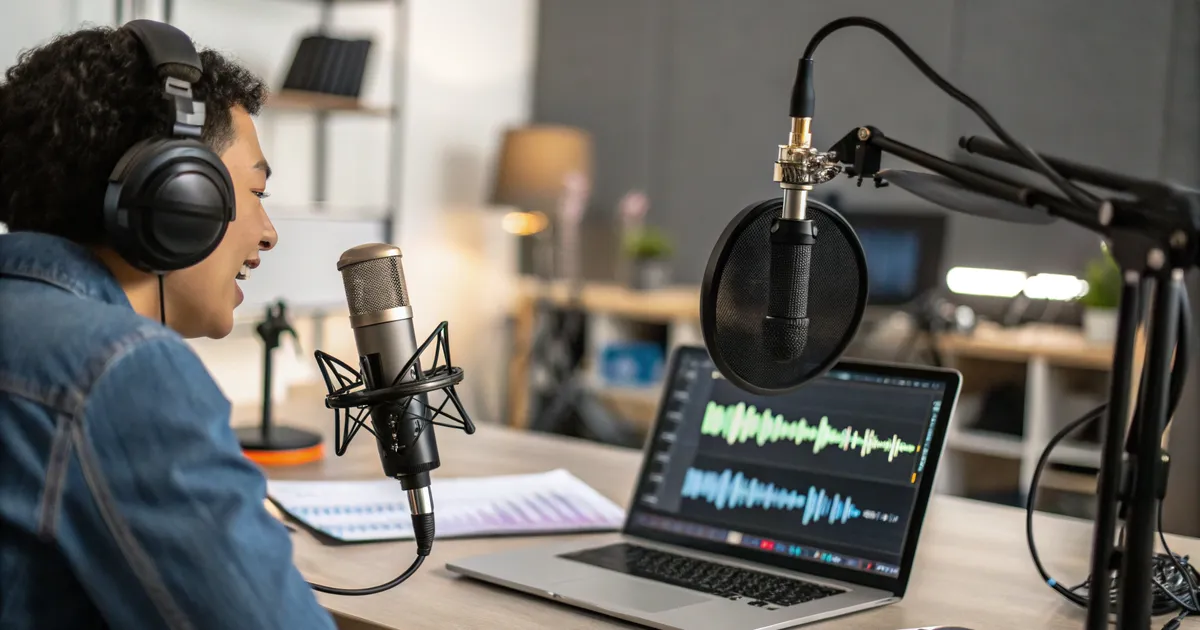
I recommend investing in a good microphone. USB condenser mics offer clear voice capture at a reasonable price.
For on-the-go recording, a lavalier mic connected to your phone works well.
Avoid built-in laptop mics—they’re noisy and pick up room echo.
Set Up Your Recording Environment
Quiet rooms make a huge difference. I record in a small, carpeted room with heavy curtains to reduce echo.
When that’s not possible, DIY foam panels or even hanging blankets help absorb sound reflections. Avoid rooms with hard surfaces that create reverberation.
Use Proper Microphone Techniques
Keep the mic about 8-12 inches from your mouth. Closer than that, and you risk popping sounds; too far and your voice gets muffled.
I always use a pop filter to reduce harsh “p” and “b” sounds. Speak directly toward the mic but not off-axis.
Recording Software and Settings Matter
I use Audacity for free, or Adobe Audition for more control. Always monitor levels while recording—aim for peaks around -6 dB to avoid clipping.
Record in WAV or the highest quality MP3 your software supports. Clipped or distorted audio is a transcription nightmare.
Or you can simply use a transcription app like VOMO. It also performs very well.
Speak Clearly and Manage Multiple Speakers
Speak slowly and enunciate, especially if the recording is for transcription. If multiple people talk, try to take turns or use separate mics.
Overlapping voices confuse AI. When recording interviews, I remind people to pause between questions.
Most of today’s mainstream transcription App like VOMO or Otter includes speaker identification and some ability to correct errors in multi-speaker conversations.
Enhance Audio Post-Recording
Sometimes you can’t avoid background noise. I use Audacity’s noise reduction to clean up hiss or hum.
Equalization can boost vocal clarity. Some AI tools like Krisp or RTX Voice also help suppress noise before transcription.
Mistakes to Avoid
Don’t record in noisy environments like cafes or near fans. Avoid using your laptop mic by default.
Always test your setup before the real session—check for distortions or volume issues.
Quick Checklist
- Use a quality external mic
- Record in a quiet, treated room
- Position mic 8-12 inches from your mouth
- Monitor audio levels, avoid clipping
- Speak clearly and steadily
- Edit audio to reduce noise before transcription
FAQ
How do I reduce background noise?
Record in quiet rooms and use noise reduction tools in post-production.
Which audio format is best?
WAV is preferred for transcription accuracy; high-quality MP3 is acceptable.
How far from the mic?
About 8-12 inches to balance clarity and reduce pops.
With a bit of care in recording setup and technique, your transcripts will be much clearer and require less editing. Trust me, these tips have saved me hours of cleanup time and will make your transcription projects run smoothly.
VOMO VOOR VERGADERINGEN
Maak je vergaderingen beter met VOMO
Ervaar moeiteloze opname van vergaderingen, zeer nauwkeurige transcriptie en slimme samenvattingen. Laat VOMO je notulist zijn terwijl jij je op het belangrijkste richt.