
Best Audio-to-Text Apps in 2026: How to Choose the Right One
Compare audio-to-text apps by accuracy, speaker labels, summaries, exports, privacy, and real use cases. Learn when VOMO is a strong fit for meetings, interviews, podcasts, lectures, and voice memos.
The best audio-to-text app depends on what you need the recording to become.
The best audio-to-text app is not always the one with the longest feature list. It is the one that fits what you need after the transcript is created.
That distinction matters.
If you only need a quick transcript from a short MP3 file, a simple online converter may be enough. If you create videos, you may care more about captions and subtitle exports. If you record meetings, interviews, lectures, podcasts, or voice memos, you may need speaker labels, summaries, action items, and a way to search the recording.
So before choosing a tool, ask a better question:
What do I need this recording to become?
This guide compares the main types of audio-to-text apps, explains what features actually matter, and shows when VOMO is a strong fit.
Quick Answer: What Is the Best Audio-to-Text App?
The best audio-to-text app depends on your use case.
For quick one-time transcription, use a simple online audio-to-text converter. For video captions, use a video-first subtitle tool. For meetings, interviews, lectures, podcasts, and voice memos, use an AI transcription and note app like VOMO that can generate transcripts, speaker labels, summaries, key points, and action items. For legal, medical, academic, or official records, consider a human-reviewed transcription service.
No single tool is best for every situation. The right choice depends on accuracy needs, file type, recording length, privacy requirements, and what you want to do with the transcript afterward.
What Users Really Need From Audio to Text
Compare transcript quality, speaker labels, summaries, action items, exports, and privacy.
Most people begin with a simple search: "audio to text."
But after the transcript is generated, they often need more:
- A clean summary
- Speaker labels
- Searchable notes
- Action items
- Exportable documents
- Podcast show notes
- Interview quotes
- Study notes
- Meeting follow-ups
- A way to ask questions about the recording
This is why the best audio-to-text app is not always the one that looks most impressive on a feature list. It is the one that removes the most friction from your actual workflow.
The Main Types of Audio-to-Text Apps
1. Simple Online Audio-to-Text Converters
These tools are useful when you have one file and need a transcript quickly. You upload the audio, wait for transcription, then copy or download the text.
They are a good fit for:
- Short voice notes
- Quick MP3 to text tasks
- Simple interview files
- One-time transcription needs
They may not be enough if you need summaries, action items, speaker-labeled notes, long-term organization, or advanced exports.
2. Video and Subtitle Tools
Some audio-to-text tools are part of a video editing platform. These are helpful if your main goal is captions, subtitles, social clips, or video publishing.
They are a good fit for:
- YouTube captions
- Podcast clips
- Social media videos
- Online course videos
- Marketing content
The tradeoff is that these tools are often video-first. If your real need is meeting notes, customer interview analysis, or voice memo organization, the workflow may feel heavier than necessary.
3. Meeting Transcription Tools
Meeting transcription tools are built around calls and team workflows. Some can join meetings automatically, record conversations, and generate notes afterward.
They are a good fit for:
- Recurring team meetings
- Sales calls
- Customer success calls
- Internal updates
- Calendar-based workflows
The main thing to consider is how recording works. Some teams like meeting bots. Others prefer uploading a recording manually. Consent and privacy also matter when a tool joins a live meeting.
4. AI Note and Transcript Apps
This is where VOMO fits best.
AI note and transcript apps are useful when you want the transcript to become something more useful. You upload or record audio, get the transcript, then use AI to summarize, organize, search, and extract the important parts.
They are a good fit for:
- Meetings
- Interviews
- Lectures
- Voice memos
- Customer research
- Podcast summaries
- Sales call reviews
- Personal knowledge capture
This type of tool is strongest when your recording contains information you need to act on later.
5. Human-Reviewed Transcription Services
AI transcription is fast, but some situations still need human review.
If you are working with legal, medical, academic, compliance, or official documentation, accuracy standards may be higher. In those cases, a human-reviewed transcript may be worth the extra time and cost.
They are a good fit for:
- Legal records
- Medical documentation
- Academic research
- Published interviews
- Official or high-stakes client work
The tradeoff is usually speed and price.
What to Look For in the Best Audio-to-Text App
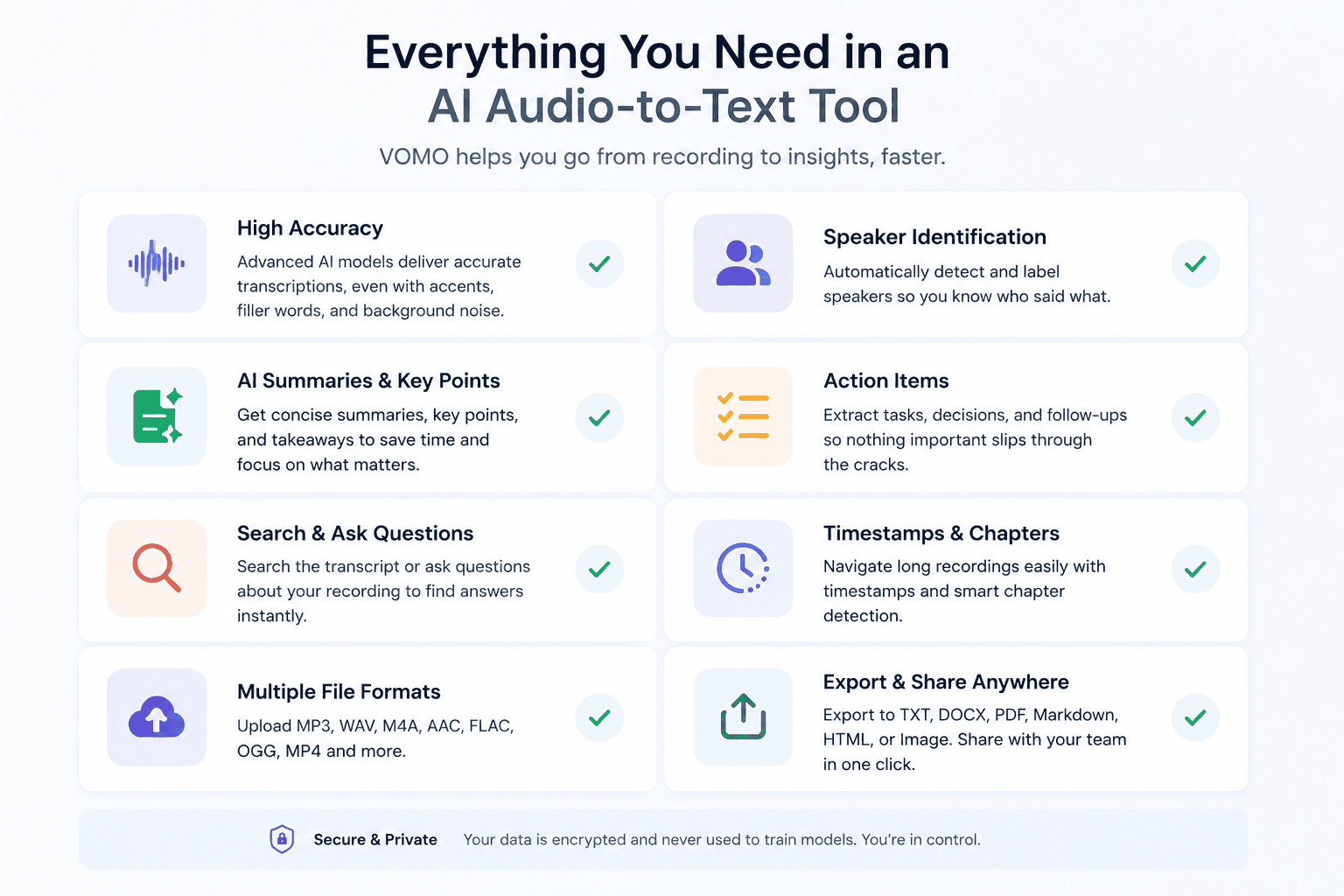
Transcript Quality
Accuracy is the first thing most people care about, and that makes sense. If the transcript is full of mistakes, the tool creates extra work instead of saving time.
But accuracy depends on more than the tool. It also depends on audio quality, background noise, accents, speaker overlap, microphone distance, and specialized vocabulary.
A realistic goal is not a transcript you never touch. A realistic goal is a transcript that is clean enough to review quickly.
Speaker Identification
Speaker labels are important if more than one person is talking.
For meetings, interviews, sales calls, research sessions, and podcasts, knowing who said what changes the value of the transcript. Without speaker labels, a transcript may be searchable but still confusing.
Summaries and Key Points
A transcript is a record. A summary is a shortcut.
For long recordings, summaries help you understand the main points before reading the details. This is useful for meetings, lectures, interviews, podcasts, and research conversations.
Action Items
For work recordings, action items can be more useful than the transcript itself.
A strong audio-to-text app should help answer:
- What decisions were made?
- Who owns the next step?
- What needs follow-up?
- What should happen next?
This is one reason VOMO is useful for teams, founders, consultants, and salespeople. It helps turn conversations into follow-through.
Search and Questions
Search is useful. Question-based search is better.
Instead of scrolling through a transcript, you can ask:
- What did we decide?
- What did the customer ask for?
- What objections came up?
- What should I follow up on?
- What are the strongest quotes?
- What were the main themes?
This turns a transcript into a source you can query, not just a document you have to read.
File Formats and Export Options
A useful audio-to-text app should support the file types people actually have, such as MP3, WAV, M4A, AAC, FLAC, and OGG. Video support can also help if you work with webinars, recorded calls, or video interviews.
Export options matter too. Look for formats that fit your workflow, such as TXT, DOCX, PDF, Markdown, HTML, image exports, subtitle files, or shareable notes.
Privacy and Consent
This part is easy to overlook.
If you are recording meetings, customer calls, interviews, healthcare conversations, legal discussions, finance calls, or HR conversations, make sure you have permission to record and transcribe. Also think about where the recording is stored, who can access it, and whether the transcript includes sensitive information.
The best tool is not only the one that works quickly. It is the one you can use responsibly.
Best Audio-to-Text App by Use Case
Different recordings need different outputs, from captions to notes and human review.
Use case | What matters most | Best-fit tool type |
|---|---|---|
Quick audio file transcription | Speed, simple upload, basic export | Online audio-to-text converter |
Meetings | Speaker labels, summaries, action items | AI note app |
Why VOMO Is a Strong Choice for Audio to Text
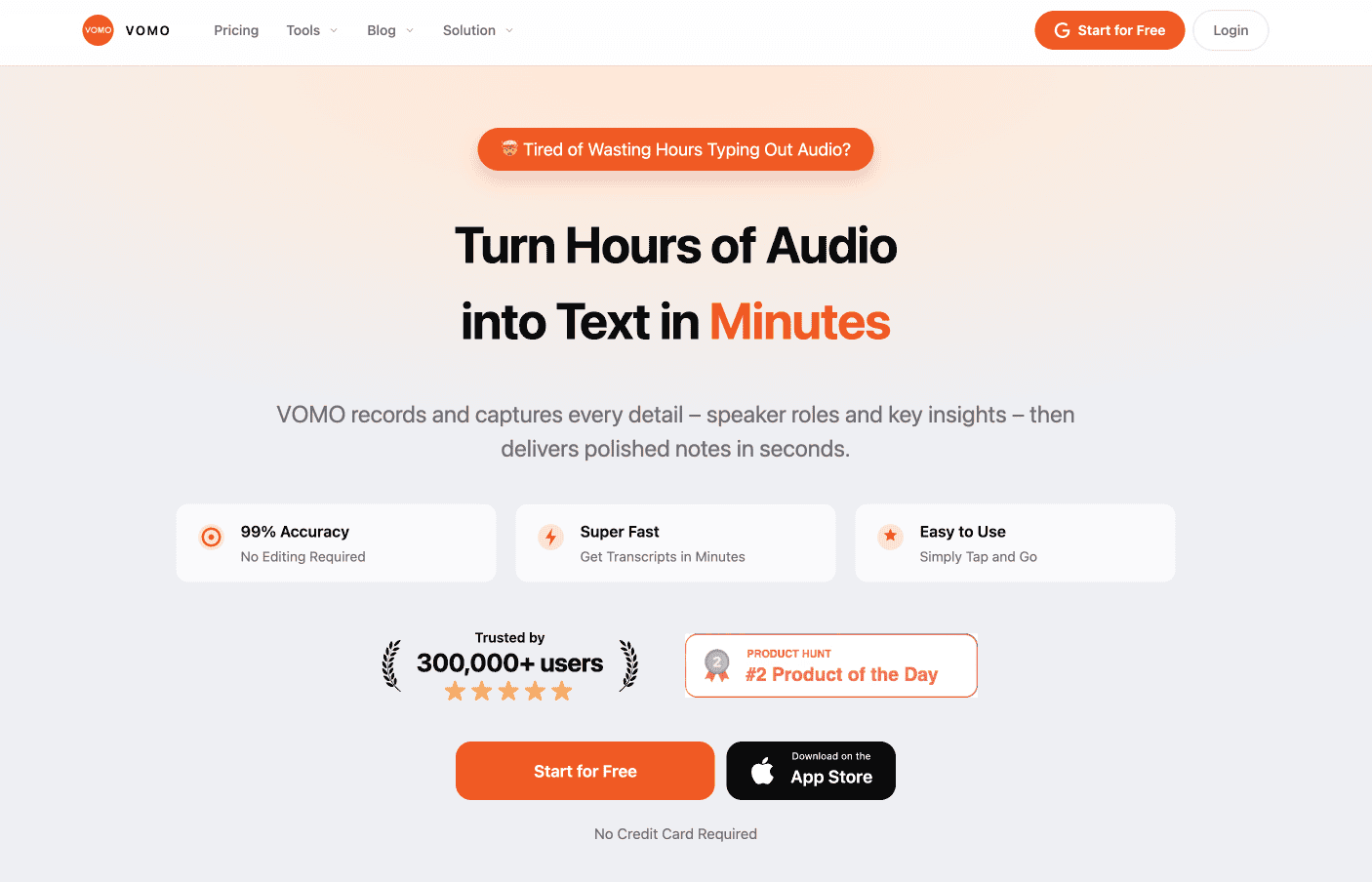
VOMO is useful when you need takeaways, follow-ups, and quotes from a recording.
VOMO is a strong fit if you regularly work with recordings and need more than raw transcription.
You can upload audio, convert it to text, identify speakers, generate summaries, extract key insights, create action items, and ask questions about the transcript. That makes it useful for meetings, interviews, podcasts, lectures, sales calls, customer research, consulting follow-ups, and personal voice notes.
The main advantage is that VOMO treats transcription as the starting point, not the finish line.
That matters because most users do not just want text. They want the decision, the quote, the idea, the task, or the next step.
When VOMO May Not Be the Right Fit
A reliable recommendation should also say when a product may not be the best fit.
If your main goal is detailed subtitle editing for video, a video-first tool may be better.
If you need a certified or human-reviewed transcript for legal, medical, academic, or official use, consider a service with human review.
If your team needs a meeting bot that automatically joins every calendar event, check whether that workflow matches how your team records meetings.
But if your main goal is to turn uploaded audio, meetings, interviews, lectures, podcasts, or voice memos into transcripts and structured notes, VOMO is a strong option.
Questions to Ask Before Choosing an Audio-to-Text App
Before choosing a tool, ask:
- Do I need just a transcript, or do I need summaries and notes?
- Will I upload files, record directly, or transcribe live meetings?
- Does the tool support my file formats?
- Can it identify speakers?
- Can I search or ask questions about the transcript?
- Can I export the transcript in the formats I need?
- How does the tool handle private or sensitive recordings?
- What are the free limits and paid plan limits?
These questions help you choose based on workflow, not just marketing claims.
FAQ
What is the best audio-to-text app?
The best audio-to-text app depends on your use case. For quick one-off transcripts, a simple online converter may be enough. For meetings, interviews, lectures, podcasts, and voice memos, VOMO is a strong choice because it combines transcription with speaker identification, summaries, action items, and searchable notes.
What is the best audio-to-text app for meetings?
For meetings, look for speaker identification, summaries, action items, and easy sharing. VOMO is useful because it helps turn meeting recordings into structured notes and follow-up tasks.
Are free audio-to-text apps accurate?
Free audio-to-text apps can be accurate, especially with clear audio. However, free plans often have limits on minutes, file length, exports, or advanced features. Accuracy also depends on background noise, accents, overlapping speech, and recording quality.
Can audio-to-text apps summarize recordings?
Yes. AI-powered tools like VOMO can summarize transcripts, extract key points, create chapters, and generate action items. This is especially useful for long recordings.
What is the difference between audio to text and speech to text?
Speech to text usually refers to converting spoken words into written text, either live or from a recording. Audio to text often refers to uploading an audio file and turning it into a transcript. For most users, the terms are very similar.
Can I use audio to text for podcasts?
Yes. Podcast transcripts can be used for show notes, captions, blog posts, newsletters, quote cards, and social media content.
Can I use audio to text for voice memos?
Yes. Voice memos are a great use case for audio-to-text apps. You can turn quick spoken thoughts into notes, outlines, drafts, reminders, or task lists.
Final Thoughts
The best audio-to-text app is not always the one with the most features. It is the one that helps you get from recording to useful output with the least friction.
For some people, that means a quick transcript. For others, it means captions. For teams, it may mean action items. For researchers, it may mean searchable interview quotes. For creators, it may mean turning one recording into several pieces of content.
If you want more than raw transcription, VOMO is built for that next step. It helps you convert audio to text, identify speakers, summarize long recordings, extract key points, and turn spoken information into notes you can actually use.
VOMO FOR MEETINGS
Transform Your Meetings with VOMO
Experience seamless meeting recording, highly accurate transcription, and intelligent summarization. Let VOMO be your dedicated note-taker while you focus on what matters most.