Transcribe Zoom Recordings to Text with VOMO

Effortlessly turn your Zoom meeting recordings into accurate, editable text using VOMO’s advanced AI transcription technology. Perfect for meeting notes, lectures, and interviews.
立即試用 VOMO

Effortless Zoom Transcription with VOMO

VOMO transforms the way you handle Zoom recordings. Powered by cutting-edge AI transcription and speech recognition, it automatically converts audio and video files into clear, well-formatted text. Whether it’s a team meeting, client call, or webinar, VOMO ensures every word is captured precisely.

By uploading Zoom recordings, VOMO handles everything — from transcription to AI 摘要multi-language translation — in just a few clicks.

立即試用 VOMO

強化會議記錄

How to Transcribe a Zoom Recording with VOMO

圖片 2

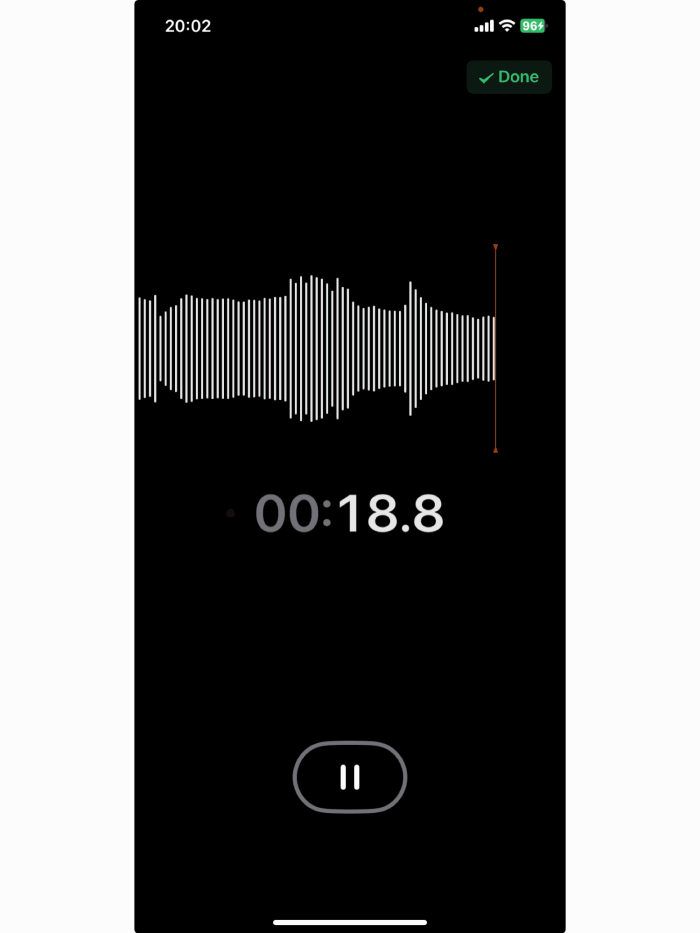
上傳您的 Zoom 錄影

Upload your recorded Zoom file directly to VOMO. It supports all major formats — MP3, M4A, WAV, MP4, MOV, and more.
圖 1

Convert Zoom Recording to Text

Once uploaded, VOMO automatically starts transcription. Edit, highlight, and annotate key discussion points or action items directly within the transcript editor.
圖 9

匯出或分享

Share transcript with your team or clients instantly for seamless collaboration.

立即試用 VOMO

Key Features of VOMO Zoom Transcriber

AI 驅動的精確度

Get up to 99% transcription accuracy, even with background noise or overlapping speech, thanks to advanced AI speech recognition and noise reduction technology.

揚聲器識別

VOMO automatically recognizes and labels speakers in multi-person meetings, creating clean, readable transcripts.

多語言支援

Transcribe your Zoom recordings in 58+ languages and translate transcripts into 40+ languages with one click — perfect for international teams.

智慧型 AI 總結

VOMO doesn’t just transcribe — it summarizes your Zoom meetings automatically. Generate concise summaries, chapters, and action lists in seconds.

立即試用 VOMO

Why Choose VOMO for Zoom Transcription?

Simple, intuitive workflow — upload, transcribe, edit, and export in minutes.
Professional-grade output for business, education, and research.
Instant AI-generated meeting summaries for improved productivity.
Secure and compliant with international data standards.

立即試用 VOMO

定價

免費

適用於剛開始使用 Vmomo 的個人。
$ 0 /週刊
  • 免費使用者可享有 30 分鐘的免費使用時間。
  • 高達 99% 的精確度,可辨識喇叭。
  • 針對任何情況自動產生結構化筆記。
  • 與您的成績單聊天,如 ChatGPT。
  • 獨家存取網頁測試版。

專業

適合需要更多時間和功能的專業人士。
$ 1.92 /週刊
  • 每週無限轉錄分鐘。
  • 高達 99% 的精確度,可辨識喇叭。
  • 針對任何情況自動產生結構化筆記。
  • 與您的成績單聊天,如 ChatGPT。
  • 獨家存取網頁測試版。
儲存 75%

免費

適用於剛開始使用 Vmomo 的個人。
$ 0 每週
  • 免費使用者可享有 30 分鐘的免費使用時間。
  • 高達 99% 的精確度,可辨識喇叭。
  • 針對任何情況自動產生結構化筆記。
  • 與您的成績單聊天,如 ChatGPT。
  • 獨家存取網頁測試版。

專業

適合需要更多時間和功能的專業人士。
$ 7.99 每週
  • 每週無限轉錄分鐘。
  • 高達 99% 的精確度,可辨識喇叭。
  • 針對任何情況自動產生結構化筆記。
  • 與您的成績單聊天,如 ChatGPT。
  • 獨家存取網頁測試版。

免費

適用於剛開始使用 Vmomo 的個人。
$ 0 每週
  • 免費使用者可享有 30 分鐘的免費使用時間。
  • 高達 99% 的精確度,可辨識喇叭。
  • 針對任何情況自動產生結構化筆記。
  • 與您的成績單聊天,如 ChatGPT。
  • 獨家存取網頁測試版。

專業

適合需要更多時間和功能的專業人士。
$ 4.66 每週
  • 每週無限轉錄分鐘。
  • 高達 99% 的精確度,可辨識喇叭。
  • 針對任何情況自動產生結構化筆記。
  • 與您的成績單聊天,如 ChatGPT。
  • 獨家存取網頁測試版。

FAQs: Transcribe Zoom Recordings with VOMO

What is VOMO’s Zoom Transcription Tool?

VOMO is an AI-based transcription and summarization platform that turns Zoom recordings into accurate, editable text within minutes.

轉錄的精確度如何?

VOMO achieves up to 99% accuracy when audio quality is clear. The AI automatically filters out background noise for better precision.

Can I upload long Zoom recordings?

Yes! VOMO supports recordings from short clips to hour-long sessions, both audio and video.

支援哪些檔案格式?

You can upload MP3, WAV, M4A, MP4, MOV, and more. Exports are available in TXT, DOCX, PDF, and SRT formats.

VOMO 支援不同語言嗎?

Absolutely. Transcribe in 57+ languages and translate transcripts into 40+ languages instantly.

Can I get meeting summaries automatically?

Yes. VOMO’s AI creates structured meeting summaries, including highlights, chapters, and action points.
vomo 標誌
20250727 103817 22
解鎖即時 Al 會議筆記
左麥穗

受 100,000+ 位使用者信賴

五星級
右邊的麥穗

無需信用卡