
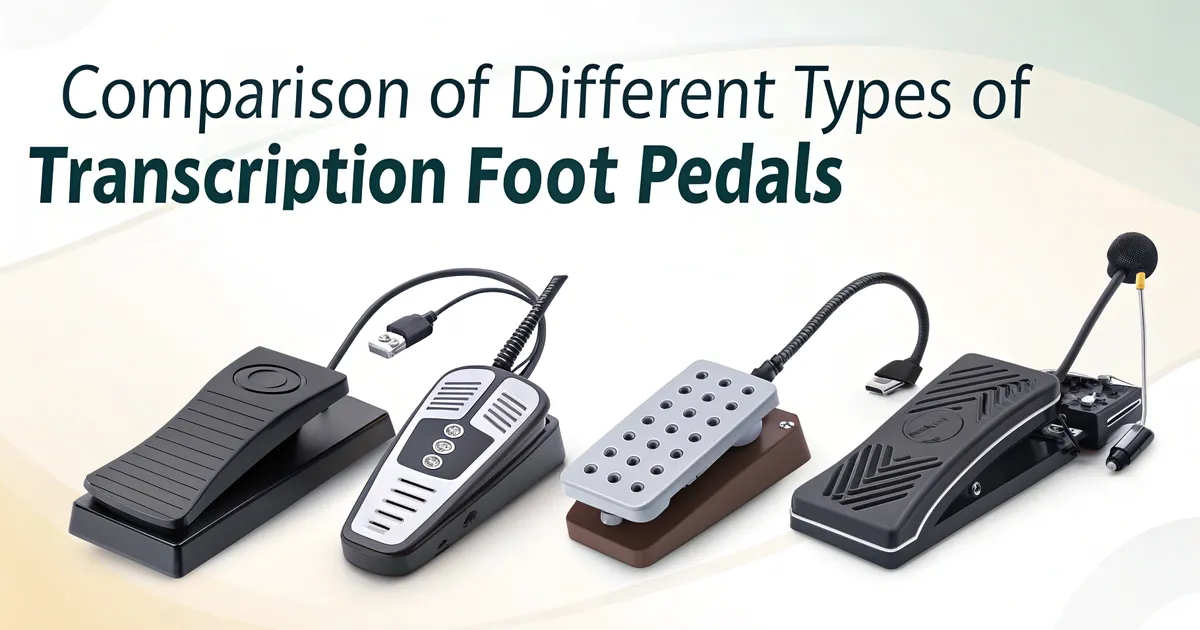
Comparación de los distintos tipos de pedales de transcripción
Diferentes tipos de pedales de transcripción varían en compatibilidad, funcionalidad y calidad de fabricación. Elegir el pedal adecuado puede influir significativamente en la eficacia de la mecanografía y reducir la fatiga. Esta comparativa ayuda a los transcriptores a elegir el pedal que mejor se a
Different types of transcription foot pedals vary in compatibility, functionality, and build quality. Choosing the right foot pedal can significantly impact typing efficiency and reduce fatigue. This comparison helps transcriptionists select the best pedal for their workflow.
Comparison Table of Different Types of Transcription Foot Pedals
Choosing the right transcription foot pedal can greatly enhance your transcription efficiency and comfort. This table summarizes the key features, advantages, disadvantages, and ideal users for various types of foot pedals to help you make an informed decision.
Foot Pedal TypeConnection TypeMain FeaturesAdvantagesDisadvantagesBest ForApproximate Price RangeUSB Foot PedalUSB wiredPlug-and-play, widely compatibleReliable, no latency, affordableLimited mobility due to cablesMost transcriptionists$30 - $100Bluetooth Foot PedalWireless (Bluetooth)Wireless, rechargeable batteriesPortable, cable-free workspacePossible latency, needs chargingMobile transcription, clutter-free setups$80 - $150Proprietary Foot PedalProprietary portsDesigned for specific softwareSeamless software integrationLimited compatibilityEnterprise or specialized software users$50 - $200Multi-Button Foot PedalUSB or wirelessProgrammable buttons, advanced functionsCustomizable for workflowMore complex setup, higher priceProfessional transcriptionists$100 - $200Single-Button Foot PedalUSB wiredBasic play/pause functionSimple, budget-friendlyLimited controlBeginners or light transcription$20 - $50
USB Foot Pedals for Transcription
USB foot pedals are the most common type used in transcription. They connect directly to your computer and work with popular software like Express Scribe or FTW Transcriber. They’re plug-and-play, making them ideal for beginners.
Bluetooth Foot Pedals for Transcription
Bluetooth foot pedals are wireless and convenient for mobile setups. They are ideal for use with tablets or laptops where cable clutter is an issue. However, battery life and software compatibility should be considered.
Serial Port Foot Pedals for Transcription
Older transcription systems sometimes require serial port foot pedals. These are less common today but may be necessary for legacy setups. Modern computers may need an adapter for these to work.
Multi-Button Foot Pedals for Transcription
Some pedals come with two or three buttons, allowing custom control for play, pause, rewind, and fast-forward. This flexibility enhances productivity for experienced transcriptionists. These pedals work best with customizable transcription software.
Single-Button Foot Pedals for Transcription
Simple and budget-friendly, single-button pedals are great for those with minimal needs. They typically control play/pause only. These are ideal for light transcription work or entry-level users.
Compatibility with Software
Not all foot pedals are compatible with every transcription software. Check whether your pedal supports the software you plan to use. Brands like Infinity and Olympus tend to have wide compatibility.
Ergonomics and Durability
High-quality pedals are designed to reduce strain during long typing sessions. Look for non-slip designs and responsive buttons. Durability is especially important for professionals who transcribe daily.
Price Range and Value
Prices vary from under $50 to over $150. Budget pedals can work well for beginners, while premium models offer better ergonomics and build quality. Choose based on your needs and how often you transcribe.
VOMO FOR MEETINGS
Transform Your Meetings with VOMO
Experience seamless meeting recording, highly accurate transcription, and intelligent summarization. Let VOMO be your dedicated note-taker while you focus on what matters most.