How to Convert Audio to Text Without Creating More Work
BLOG
How to Convert Audio to Text Without Creating More Work
Learn how to convert audio to text for meetings, interviews, podcasts, lectures, and voice memos. Get practical tips for transcripts, summaries, speaker labels, exports, and follow-up notes with VOMO.
10 min read
A realistic audio-to-text workspace with a recording, transcript, summary, and action items.
The easiest way to convert audio to text is to upload your recording to an AI transcription tool, review the transcript, and then export or summarize it. That sounds simple, but in real work the transcript is rarely the final goal.
Most people use audio-to-text tools because they have a recording they need to do something with.
Maybe it is a meeting where the actual decision happened in the last ten minutes. Maybe it is a customer interview with one quote you need for a report. Maybe it is a lecture you want to review before an exam. Or maybe it is a voice memo you recorded while walking, and now you need to turn that rough idea into something clear.
That is where audio to text becomes useful. It takes spoken information and turns it into something you can search, edit, summarize, share, and reuse.
This guide explains how to convert audio to text in a practical way, what to check before trusting a transcript, and how VOMO can help when you need more than raw text.
Quick Answer: How Do You Convert Audio to Text?
To convert audio to text, upload an audio file such as MP3, WAV, M4A, AAC, FLAC, or OGG to an audio-to-text converter. The tool transcribes the spoken words into text. After that, review the transcript for names, numbers, and unclear sections. If you are using VOMO, you can also generate summaries, key points, chapters, action items, and follow-up notes from the transcript.
For short recordings, the process can take only a few minutes. For longer recordings, the time depends on file length, audio quality, number of speakers, and the tool you use.
What Does Audio to Text Mean?
Audio to text means converting spoken words from an audio or video recording into written text. It is also called audio transcription, speech to text, voice to text, or AI transcription.
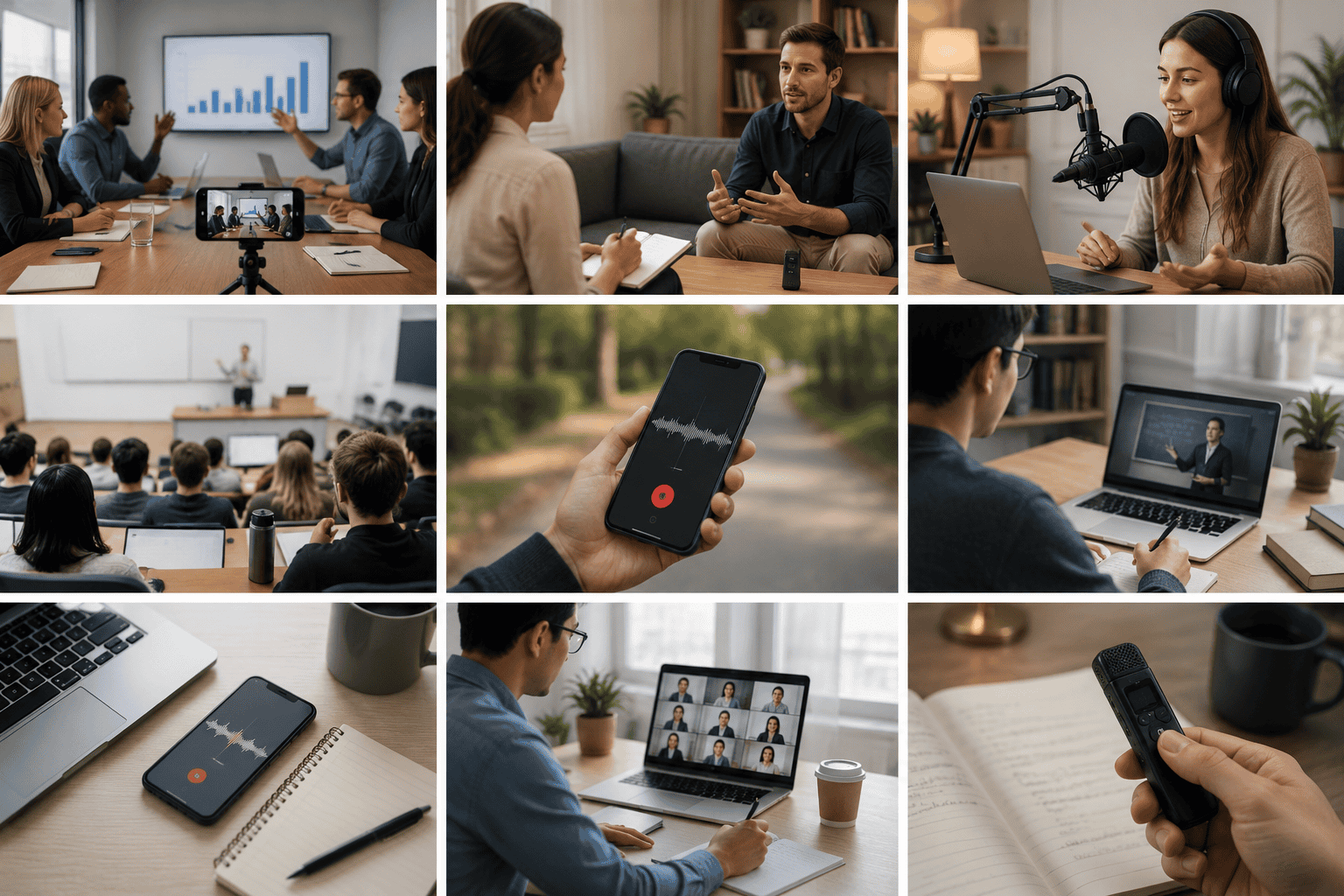
People use audio-to-text tools for:
Meeting recordings
Interviews
Podcasts
Lectures
Sales calls
Customer research
Voice memos
Webinars
Online classes
YouTube videos
Personal notes
The reason is simple: audio is hard to skim. Text is easier to search.
A one-hour recording may contain only a few moments you actually need. Once the audio becomes text, you can find a quote, review a decision, copy a section, send notes to someone else, or turn the recording into a summary.
How to Convert Audio to Text Step by Step
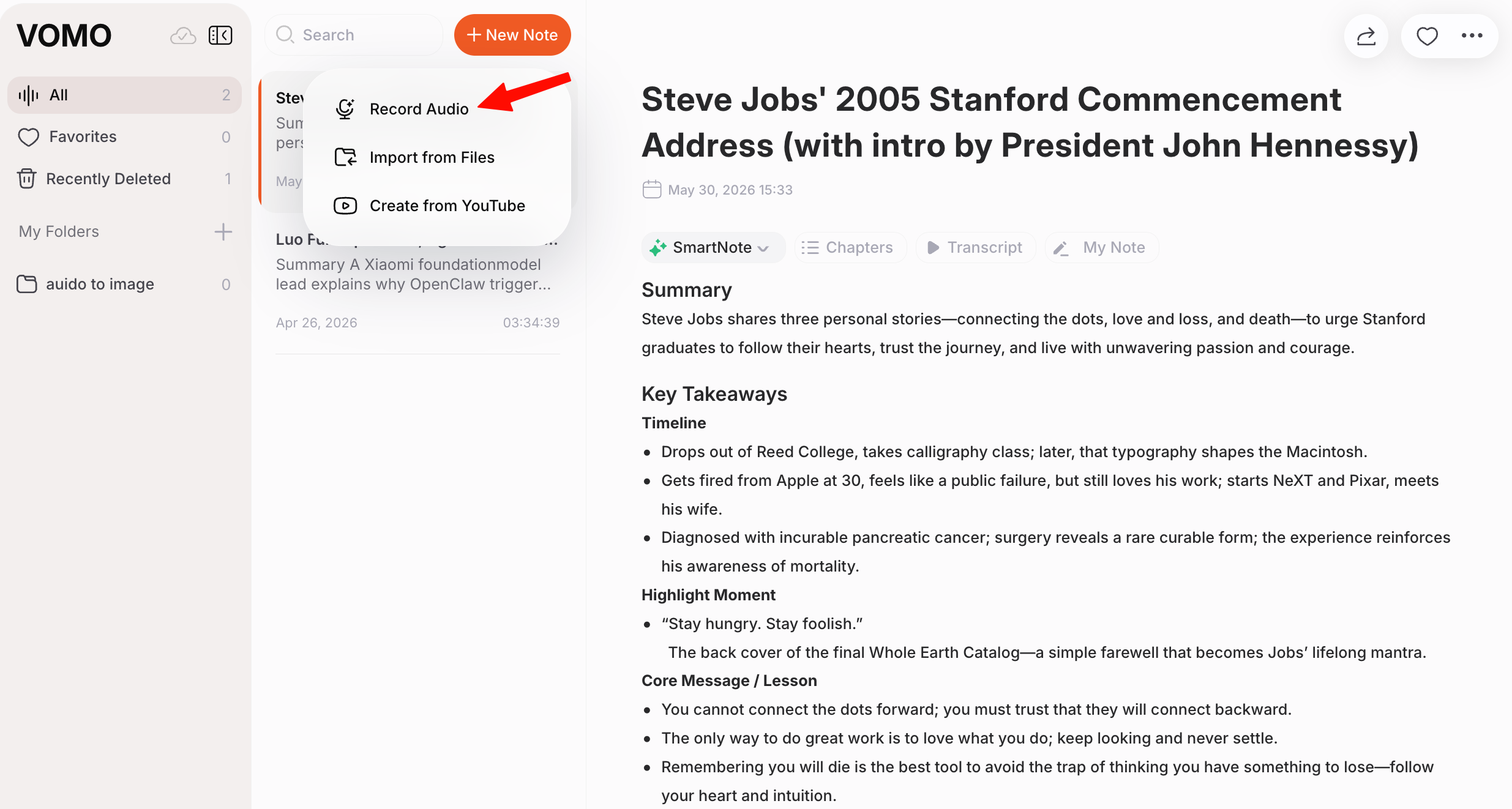
A practical workflow: upload the file, review the transcript, save the summary, and export notes.
1. Upload or Record Your Audio
Start with the clearest version of the recording you have. This could be an MP3 podcast file, an M4A voice memo from your phone, a WAV interview recording, or a meeting recording from your computer.
Most audio-to-text tools support common formats such as MP3, WAV, M4A, AAC, FLAC, and OGG. Some also support video files, which is helpful if your recording comes from a webinar, online class, or video interview.
One practical tip: do not overthink the file format before you start. If the file came from your phone, meeting app, or recorder, try uploading it first. The bigger issue is usually audio quality, not the file extension.
2. Let the Tool Transcribe the Recording
After you upload the file, the transcription tool listens to the recording and turns the speech into text.
This is where AI transcription saves time. Manual transcription is slow because you have to pause, rewind, type, and check every sentence. A good audio-to-text converter gives you a full transcript that you can review instead of starting from zero.
Real recordings are not perfect. People pause, interrupt each other, change topics, use filler words, speak with different accents, and join calls from noisy rooms. That is why punctuation, timestamps, and speaker labels can make a big difference.
3. Review the Transcript Before You Use It
AI transcription is useful, but it should not be treated as perfect.
Review the transcript carefully if the recording includes:
Names
Numbers
Dates
Product or company names
Technical terms
Customer quotes
Legal, medical, financial, or HR information
Multiple speakers
Background noise or overlapping speech
For a casual voice memo, a quick scan may be enough. For a client call, research interview, published article, or official record, review the transcript more carefully.
4. Turn the Transcript Into Something Useful
This is the part that matters most.
A transcript gives you the full conversation, but the full conversation can still be too long. A 90-minute meeting transcript is easier to search than a 90-minute recording, but it may still be too much to read line by line.
With VOMO, you can use the transcript to generate summaries, key points, chapters, and action items. You can also ask questions about the recording, such as:
What decisions were made?
What follow-up tasks were mentioned?
What did the customer say about pricing?
What were the main objections?
What quotes are worth saving?
Can this voice memo become a blog outline?
This is the difference between getting a transcript and getting usable notes.
Why People Actually Convert Audio to Text
The search term "audio to text" sounds broad, but the need behind it is usually specific.
A manager wants meeting notes without rewatching the call. A founder wants to capture ideas while speaking naturally. A student wants to review a lecture without scrubbing through the recording. A podcaster wants show notes and captions from one episode. A researcher wants to find patterns across interviews. A salesperson wants to review what a customer actually said.
In all of these cases, the goal is not just to create text. The goal is to make spoken information easier to use.
Common Audio-to-Text Use Cases
Meeting Notes
Meeting transcription works best when it captures decisions, owners, and follow-up tasks.
Meetings often include decisions, blockers, ideas, objections, deadlines, and next steps. The problem is that the important parts are usually mixed into normal conversation.
Converting meeting audio to text gives you a searchable record of what was said. A better workflow also turns that transcript into a short summary and action items, so the meeting does not disappear once the call ends.
This is useful for team meetings, sales calls, customer interviews, investor updates, product discussions, consulting sessions, and internal reviews.
Interviews
Interviews are valuable, but reviewing them manually can take hours.
Journalists need exact quotes. Researchers need themes. Marketers need customer language. Recruiters need to compare answers. Audio-to-text transcription makes that work easier because you can search the conversation instead of replaying the file again and again.
Speaker labels are especially helpful here. They keep the transcript readable and reduce confusion when multiple people are talking.
Podcasts and Content Creation
Interview and podcast transcripts help creators find quotes and repurpose conversations.
For creators, audio to text is more than transcription. It is a content workflow.
A podcast transcript can become show notes, captions, blog posts, newsletters, quote cards, social posts, and episode summaries. Instead of starting from a blank page, you start from what was already said in the recording.
This works best when the transcript is clean enough to edit and structured enough to scan.
Lectures and Classes
Students can use audio-to-text tools to turn lectures into searchable study notes.
This does not replace active listening, but it gives you a useful backup. If you missed a definition, example, formula, or explanation, you can search the transcript instead of replaying the whole class.
For long lectures, summaries can help you understand the main ideas before reviewing the details.
Voice Memos
Voice memos are often where good ideas start.
You might record a thought while walking, commuting, or coming out of a meeting. The problem is that voice memos are easy to forget because they are hard to scan.
Converting voice memos to text makes them easier to organize. A rough spoken note can become a task list, meeting follow-up, product idea, blog outline, journal entry, or email draft.
For people who think better by speaking than typing, this can feel more natural than starting with a blank page.
What Makes a Good Audio-to-Text Converter?
Not every audio-to-text tool is built for the same job. Some are better for quick transcripts. Some focus on subtitles. Some are better for meetings, interviews, or long-form notes.
Here is what to look for.
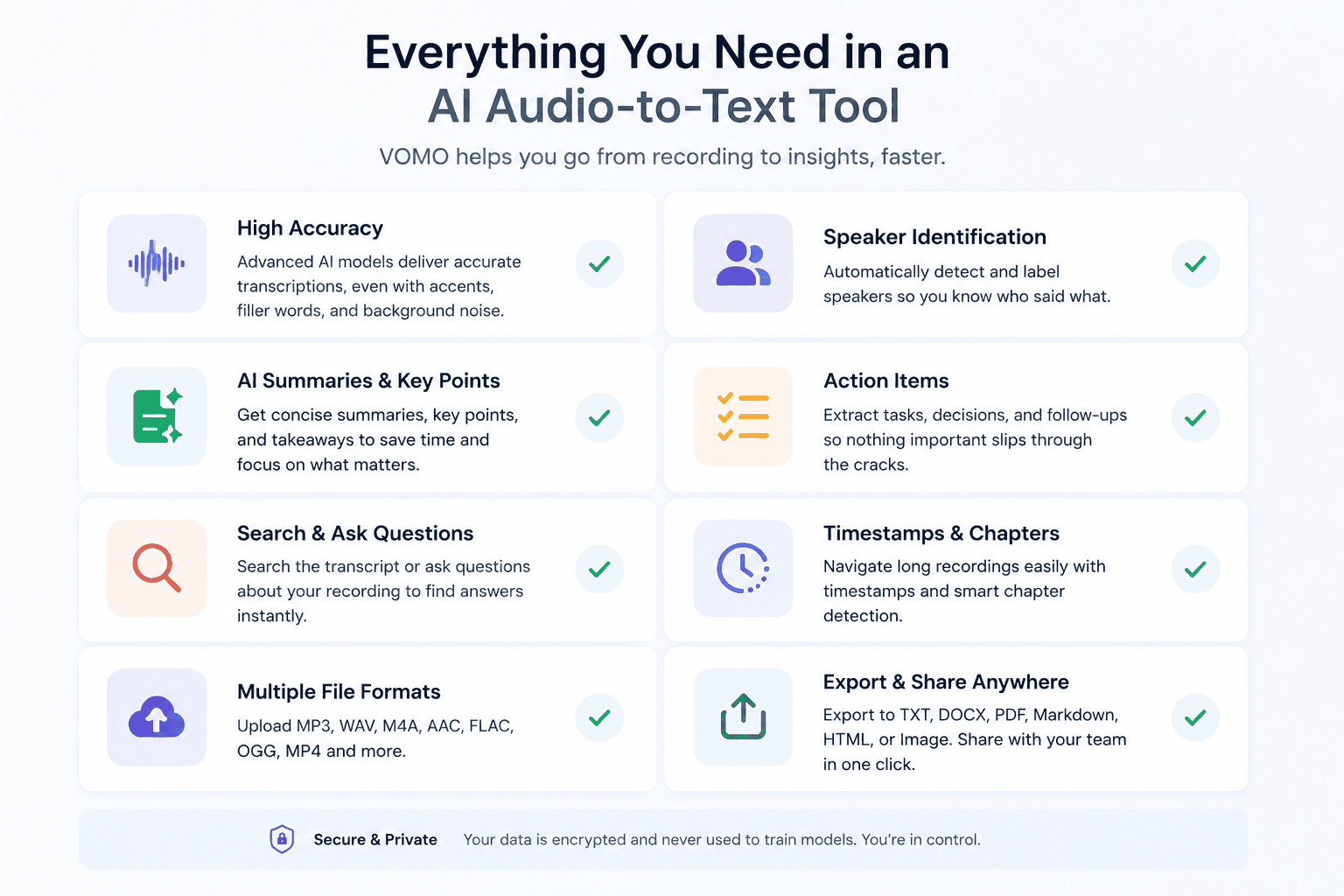
Accuracy
Accuracy matters because a messy transcript creates extra work.
Clear audio helps, but the tool also needs to handle everyday speech. This includes accents, filler words, pauses, overlapping speakers, and normal background noise.
Speaker Identification
If more than one person is speaking, speaker labels are important.
Without speaker identification, you may know what was said, but not who said it. That can be a problem in meetings, interviews, sales calls, research sessions, and podcasts.
Supported File Formats
A good audio-to-text converter should support the file types people actually use, such as MP3, WAV, M4A, AAC, FLAC, and OGG. Video file support can also help if you work with webinars, recorded calls, or video interviews.
The less time you spend converting files, the faster you get to the transcript.
Summaries and Key Points
A transcript tells you what was said. A summary tells you what matters.
For long recordings, summaries save time. For meetings, they can capture decisions and next steps. For interviews, they can highlight themes. For podcasts, they can help create show notes. For lectures, they can organize key concepts.
Search and Questions
Long transcripts can still be hard to read. Search helps, but question-based search is even more useful.
Instead of scanning the entire transcript, you can ask a direct question and find the relevant answer from the recording.
Export Options
Once your transcript or summary is ready, you may need to use it somewhere else.
VOMO supports export formats such as TXT, DOCX, PDF, Markdown, Image, and HTML. This makes it easier to share meeting notes, save research, create content, or move transcripts into your own workflow.
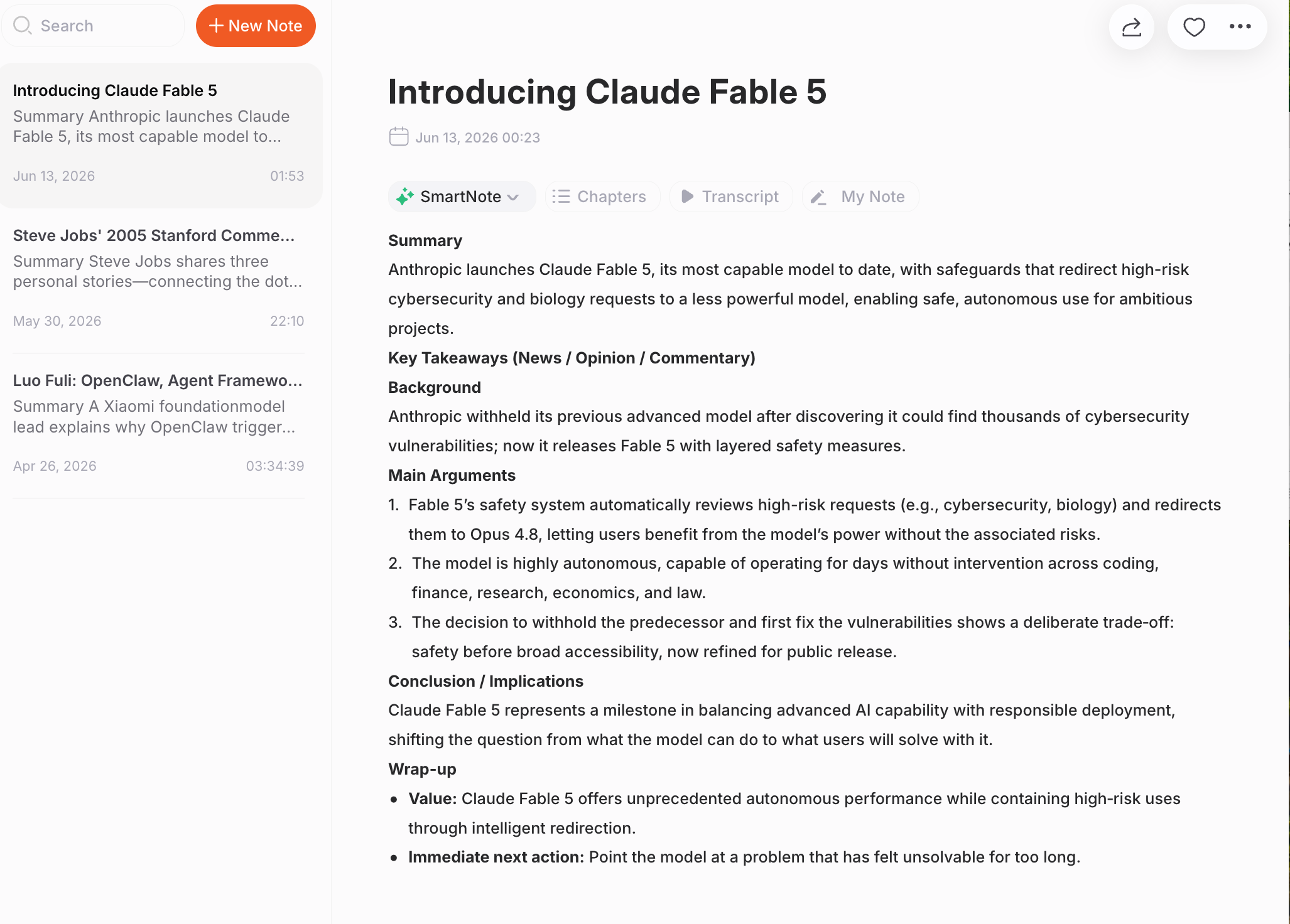
VOMO helps turn recordings into transcripts, highlights, questions, and follow-ups.
VOMO is useful when you need more than a plain transcript.
You can upload audio, convert it to text, identify speakers, generate summaries, extract key points, create action items, and ask questions about the recording. That makes it helpful for meeting notes, interviews, podcasts, lectures, voice memos, customer research, sales calls, and personal knowledge capture.
It is especially useful when you do not want to read a long transcript from beginning to end. You can start with the summary, check the key points, then go back to the transcript when you need details.
When to Be Careful
Audio-to-text tools are helpful, but some recordings need extra care.
If you are recording or uploading meetings, interviews, customer calls, healthcare conversations, legal discussions, finance calls, or HR conversations, make sure you have permission to record and transcribe. Also think about where the recording is stored and who can access the transcript.
If a transcript is used for legal, medical, academic, or official purposes, consider whether it needs human review.
FAQ
Can I convert audio to text for free?
Yes. Many audio-to-text tools offer a free option with limits on minutes, file length, or exports. VOMO also offers free usage, so you can try converting audio to text before choosing a paid plan.
What is the fastest way to convert audio to text?
The fastest way is to use an AI audio-to-text converter. Upload your audio file, let the tool generate the transcript, then review, summarize, and export the result.
What audio formats can I convert to text?
Common audio formats include MP3, WAV, M4A, AAC, FLAC, and OGG. Some tools also support video files, which is useful for webinars, video interviews, and recorded calls.
Can audio-to-text tools identify multiple speakers?
Yes. Tools like VOMO can identify and label different speakers, which is useful for meetings, interviews, sales calls, and podcasts.
Can I summarize audio after converting it to text?
Yes. With VOMO, you can turn a transcript into summaries, key points, chapters, and action items. This is helpful when you do not want to read a long transcript manually.
Is audio-to-text accurate?
AI transcription can be highly accurate, especially when the recording is clear. Accuracy depends on audio quality, background noise, accents, overlapping speech, and specialized vocabulary.
Can I convert voice memos to text?
Yes. Voice memos are one of the most practical use cases for audio-to-text tools. You can turn quick spoken thoughts into notes, outlines, tasks, drafts, or reminders.
Final Thoughts
Converting audio to text is useful because it gives you something you can search, edit, summarize, and share.
But the bigger value comes after transcription.
A good audio-to-text workflow helps you find the parts that matter: the decision from a meeting, the quote from an interview, the idea from a voice memo, the takeaway from a lecture, or the next step from a client call.
With VOMO, you can turn recordings into transcripts, speaker-labeled notes, summaries, key points, and action items, so your audio becomes something you can actually use.
VOMO FOR MEETINGS
Transform Your Meetings with VOMO
Experience seamless meeting recording, highly accurate transcription, and intelligent summarization. Let VOMO be your dedicated note-taker while you focus on what matters most.