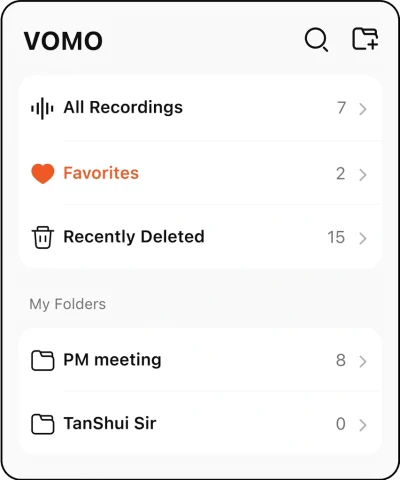
95%+ Accuracy
Speaker labels included
Record, upload, or paste a link. VOMO turns meetings, interviews, voice memos, and YouTube videos into accurate transcripts, AI summaries, action items, and shareable meeting notes in 90+ languages.
No credit card required • 30 min free • Pro: $1.92/week
Speaker labels included
Long audio transcription
Mixed languages included
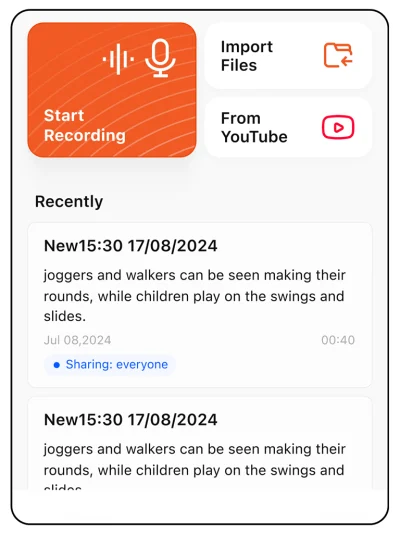
Trusted by teams, creators, and students
400,000+ users
People taking AI meeting notes with VOMO
1,000,000+ hours
Of audio transcribed into notes and next steps
4.4★
Average rating on the App Store
★★★★★
“I record every pitch meeting and VOMO turns them into structured, insightful memos — saving me hours of post-meeting documentation.”
★★★★★
“The Ask AI feature is a game-changer; we can quickly get answers to specific questions about the meeting content. It's become an indispensable tool for our remote team.”
★★★★★
“The Meeting Summary function is well-organized and the transcription is spot-on accurate for creating detailed meeting minutes.”
★★★★★
“It has significantly improved my meeting efficiency and saved me tons of time when organizing meeting notes. The Ask AI feature is my ultimate secret weapon.”
★★★★★
“I've recorded meetings that were over an hour long, and VOMO had no issues extracting the most important info and creating a detailed summary for me.”
★★★★★
“As someone who spends a lot of time in meetings, brainstorming sessions, and professional development, VOMO has become an essential part of my workflow.”
★★★★★
“Used to forget half the stuff my staff said in meetings — now I just record and this app writes everything down for me and my team.”
★★★★★
“The app gathers 20-50 times as much information as I could ever write down. VOMO organizes it into meaningful chunks and follows up with a to-do list.”
★★★★★
“The transcription accuracy is outstanding, even with longer recordings, and it saves me so much time.”
#2 Product of the Day on Product Hunt
[00:01] Transcription
Every note starts with an accurate transcript: 95%+ accuracy, timestamps, speaker labels, and 90+ languages — from live recordings, uploaded files, or YouTube links.
Every transcript comes back in clean paragraphs with speaker labels and timestamps, so meetings, interviews, and lectures are easy to scan, search, and quote. Accuracy holds at 95%+ across 90+ languages — including mixed-language meetings, so a call that switches between Spanish and English still transcribes cleanly.
Capture audio however it arrives: record live, upload up to 10 audio or video files at once, or paste a YouTube link for transcription when captions are available. Nearly every audio and video format works — MP3, WAV, M4A, MP4, and more. Create a public share link so teammates can read and search the notes, transcript, and action items without signing in.
[00:02] AI Notes & Action Items
An hour of talk usually holds a few minutes of substance. VOMO's AI summary cuts the small talk and repetition and keeps what matters — decisions, key takeaways, and action items — without inventing or missing a thing.
The default Smart Note arrives with a summary, key takeaways, and detailed action items with clear owners — written strictly from what was said, with no invented details. And nothing important slips through: decisions, tasks, and follow-ups are captured even from long, messy meetings.
Switch templates for sales meetings, interviews, classroom notes, standups, and podcasts, so each note comes out in the format that meeting type needs. Or build a custom template once, and every note for that workflow arrives pre-structured and Markdown-friendly.
Most transcription tools lock the output. VOMO keeps the whole note editable — rewrite the summary, fix a line, or restructure sections. Add your own context and details, so the final note says exactly what you need it to say.
[00:03] Ask AI & Share
Ask AI pulls decisions, objections, and follow-ups out of a long transcript in seconds. Then share a public link or export the note as PDF, HTML, TXT, and other formats for the next handoff.
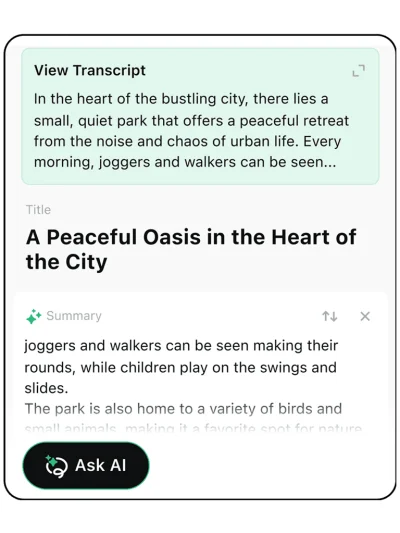
Ask AI answers questions straight from your transcript and Smart Notes: • "What were the action items?" • "Summarize the key decisions" • "Who mentioned the budget?" Every answer is grounded in what was actually said, and you can save it back into your notes.
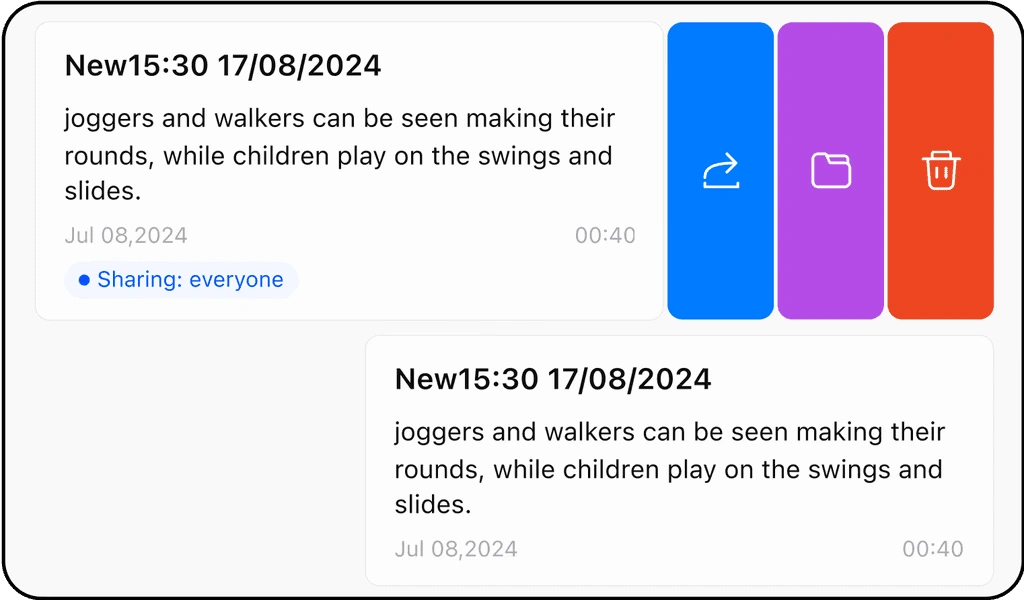
Create a public share link so teammates can read and search the notes, transcript, and action items without signing up — no account walls. Or take the outcome with you: copy the whole note or just one section, export notes and transcripts in multiple formats, including PDF, HTML, and TXT, or export the original audio file back to your device.
[00:04] Agent Workflows
The VOMO CLI brings transcripts and notes into the agent tools your team already uses, from Claude Code and Codex to OpenCode and custom internal workflows.
Use the VOMO CLI to pull transcripts, Smart Notes, AI summaries, and action items into the tools where you already work. Connect meeting memory to Claude Code, Codex, OpenCode, or any custom automation that needs searchable context from your recordings.
VOMO is AI meeting notes software that doubles as audio transcription software. It transcribes meetings, interviews, lectures, voice memos, audio files, videos, and YouTube links, then writes Smart Notes with an AI summary, chapters, action items, and speaker labels.
Yes. VOMO handles meeting transcription and long audio transcription for recordings 3+ hours long, so you can transcribe extended meetings, interviews, lectures, podcasts, and video files without splitting them.
Smart Notes organize each transcript into editable sections such as summary, key takeaways, action items, chapters, and decisions. You can paste the note into Markdown-friendly docs, switch templates for sales meetings, interviews, classroom notes, standups, and podcasts, or create a custom template of your own.
Yes, for any YouTube video that already has captions (CC) available. Videos without captions aren't supported yet. You can also upload video files directly.
Yes. The VOMO CLI brings transcripts, Smart Notes, and action items into agent workflows such as Claude Code, Codex, OpenCode, and your own internal automations.
Yes. Publish a public share link so teammates can view transcripts, AI summaries, chapters, and action items without signing up. You can also copy transcript text or export notes as PDF, HTML, TXT, and other formats.
Both. VOMO transcribes the conversation, then turns that transcript into an editable, shareable AI summary with action items.
VOMO protects recordings and transcripts with encryption in transit and at rest. You can delete your recordings at any time.