
Paste Your YouTube URL
Simply paste any YouTube link into the input box. Works with public, unlisted, and private videos you have access to. No signup required for instant transcripts.
Paste any YouTube URL to get instant transcripts with AI-generated summaries, chapters, and key takeaways. No signup required. Works with videos of any length.
How To
Simply paste any YouTube link into the input box. Works with public, unlisted, and private videos you have access to. No signup required for instant transcripts.
Confirm the video title and duration to ensure you've pasted the correct link. Vomo handles videos of any length—from 2-minute clips to 3-hour lectures.
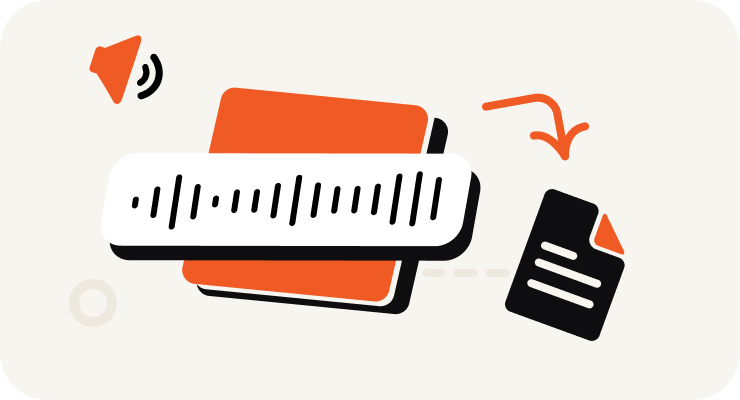
Click generate. Our AI instantly transcribes the video and automatically creates structured summaries with chapters, key takeaways, and timestamped notes—all in seconds.

Review your transcript in our clean, Apple Notes-style editor. Export as TXT, DOCX, PDF, or SRT. Or chat with your transcript using GPT-4 to ask questions and get instant insights.
Turn your audio and video into highly accurate text, Markdown, or HTML in seconds. No experience required.
⚡ No credit card required · Free daily credits · 100% Secure & Confidential

Transform your YouTube content into multiple formats effortlessly: ✓ Turn videos into SEO-optimized blog posts and articles ✓ Extract key quotes for engaging social media posts ✓ Generate newsletter content and email campaigns ✓ Create content briefs and outlines in minutes Save hours on content repurposing and focus on creating more videos. One 30-minute video becomes 5+ pieces of content.

Make the most of educational content on YouTube: ✓ Convert lengthy lectures into organized study notes ✓ Generate chapter summaries automatically with timestamps ✓ Create searchable databases of research interviews ✓ Extract key concepts and definitions instantly Turn 2-hour lectures into revision materials in minutes. Perfect for online courses, research projects, and self-study.

Maximize the value of video presentations and meetings: ✓ Extract key insights from industry webinars and conferences ✓ Create quick summaries of product demonstrations ✓ Turn strategy presentations into action plans ✓ Share comprehensive meeting notes with colleagues Build knowledge bases from training videos. Spend less time on notes and more time on implementation.

Get the most from your video sources: ✓ Access accurate transcripts of YouTube interviews instantly ✓ Extract compelling quotes with precise timestamps ✓ Generate article outlines from video content ✓ Fact-check and reference video sources easily Create detailed story notes from press conferences. Focus on crafting your story while AI handles the transcription work.
Why Choose

Paste a YouTube URL to preview instantly—no signup required. Skip the 30+ minutes of manual copying and cleaning. Our AI generates clean transcripts in seconds. Sign up (free) to access the full transcript, save your library, and unlock AI summaries, chapters, and GPT-4 chat.

Free users can transcribe videos of any length. Pro subscribers ($1.92/week) get unlimited transcription minutes with no caps—perfect for 3-hour lectures, full podcast episodes, or all-day conference recordings. Export and share instantly in multiple formats.

Ask questions about the video content and get instant answers powered by GPT-4. "What were the main arguments?" "Find quotes about X." "Summarize the Q&A section." Your transcript becomes an interactive knowledge base you can query in natural language.
Beyond basic transcripts—Vomo automatically generates structured summaries with chapters, key takeaways, and timestamped notes. Repurpose one 30-minute video into blog posts, social media content, newsletters, and more—all in minutes.
Pricing
$0
/Week
$1.92
/Week
Yes! You can paste any YouTube URL and get instant transcripts without signing up. Free users can transcribe unlimited videos. Sign up (still free) to save your transcripts and unlock AI summaries, chapters, and chat features.
No signup required for basic transcripts. Just paste a YouTube URL and get the text instantly. Create a free account to save your transcripts, access AI-generated summaries, chapters, key takeaways, and chat with your transcripts using GPT-4.
Yes! As long as you can watch the video and share the URL, Vomo can transcribe it. Works with public, unlisted, and private videos you have access to.
VOMO delivers 95%+ accuracy on clear audio with minimal background noise. Accuracy depends on audio quality, speaker clarity, and accents. For best results, use videos with good audio quality.
The transcript appears instantly in our clean editor. You can copy it to your clipboard, download it as TXT/DOCX/PDF/SRT, or save it to your VOMO account for later access across all devices.
Free users can transcribe videos of any length. Pro subscribers ($1.92/week) get unlimited transcription minutes with no caps—perfect for transcribing 3-hour lectures, full podcast episodes, or multi-day conference recordings without worrying about limits or overage fees.