

至 transcribe a Facebook video to text in 2026, you cannot export the text directly from the Facebook app, as its native features are limited to auto-generated scrolling captions for viewing purposes only. The most effective way to obtain an editable transcript is to use an AI-powered third-party service by either pasting the video URL directly into a transcription tool or downloading the video file to upload it to a professional speech-to-text platform. These workflows allow you to transform Facebook Live sessions, 捲軸, and marketing videos into accurate, timestamped text for SEO blogs, social media repurposing, or searchable archives.
Downloading and manually transcribing long Facebook videos is a productivity nightmare—especially when tools crash on large files. VOMO AI fixes this instantly. It handles unlimited video lengths with 99% accuracy, turning hours of audio into structured Smart Notes and searchable insights in seconds.

為什麼將 Facebook 影片轉錄為文字很重要?
Adding captions or transcripts boosts accessibility, increases engagement, and improves SEO by making your content searchable. Whether you want to share highlights, repurpose your video as a blog, or improve viewer retention, transcription is the fastest way to achieve it.
The Facebook Transcription Gap: Why You Can’t Just Copy-Paste
Facebook remains one of the most restrictive platforms when it comes to extracting video content. There is no built-in “export transcript” button, and even captions are not easily reusable.
Subtitles vs. Transcripts: Which One Do You Actually Need?
Many users confuse subtitles with transcripts—but they serve different purposes:
- Subtitles (SRT): Time-synced text for playback
- Transcripts: Full, clean text for reading, editing, and repurposing
If your goal is:
- Writing blog posts
- Extracting quotes
- Creating summaries
👉 You need a 全文, not just subtitles.
Why Facebook Native Captions Fail for Content Creators
Even when Facebook auto-generates captions, they come with limitations:
- Cannot be easily exported as full text
- Often inaccurate or incomplete
- Lack proper formatting for reuse
For creators, this makes native captions almost useless for serious content workflows.
Traditional Workflow vs. The 2026 AI Standard
The Clunky “Download -> Convert -> Transcribe” Method (Reddit’s Main Gripe)
Reddit users repeatedly describe a frustrating process of downloading the video and having to convert it to MP3 before uploading it to a transcription tool. This approach is time-consuming and breaks workflow efficiency, which is a major complaint across community discussions.
- Download the Facebook video
- Convert it to MP3
- 上傳至轉錄工具
Problems with this approach:
- 步驟太多
- 耗時
- Breaks workflow efficiency
This is the biggest complaint across discussions.
The “Link-to-Text” Trend: Why Users Prefer Direct URL Parsing
A newer trend is emerging:
👉 Paste a video URL → Get text instantly
Users prefer this because:
- No downloading required
- Faster turnaround
- Cleaner workflow
This reflects a broader shift toward automation-first content pipelines.
How to Transcribe a Facebook Video to Text (3 Proven Methods)
方法 1:使用 VOMO 錄製和轉錄 Facebook 視訊
VOMO 是一款 AI 錄音機,也提供即時轉錄功能。與其下載或粘貼連結,您只需 錄製您的 Facebook 視訊 and let VOMO generate a transcript automatically. If you are on a mobile device, this is as easy as learning how to transcribe a video on iPhone.
步驟:
- 安裝 VOMO 應用程式 (僅限 ios) 並在電腦上開啟 VOMO。
- 播放您要轉錄的 Facebook 視訊。
- 在 VOMO 中,按一下 開始錄影 並讓 Facebook 視訊播放完畢。
- 視訊結束後,停止錄影。
- VOMO 將自動處理錄音並產生謄本。
- 直接複製抄本或透過連結分享抄本
如果無法下載 Facebook 視訊,或如果您想要一個 快速多合一錄音 + 謄寫工作流程.
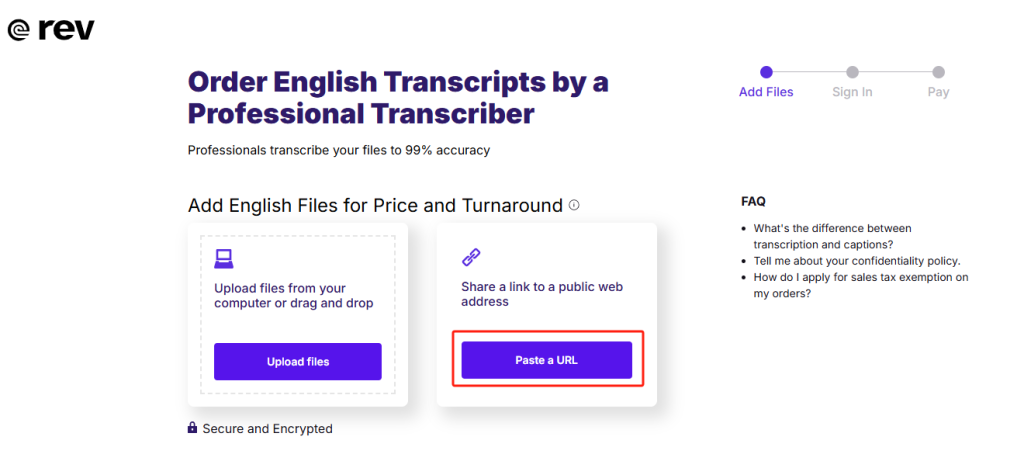
方法 2:使用 Rev 透過 Facebook URL 轉錄
Rev provides AI 轉錄 through direct Facebook video URLs.
步驟:
- 在 Facebook 上找到您的視訊,並複製連結。
- 前往 Rev 的自動轉錄頁面並貼上 URL。
- 確認您的影片長度並完成訂購。
- Rev 會處理您的視訊,並在準備就緒後通知您。
- 必要時編輯發言人姓名和文字。
- 將謄本匯出為 DOCX、TXT 或 PDF。
👉 Rev 非常好,如果您需要 快速的專業轉錄與彈性的匯出格式.
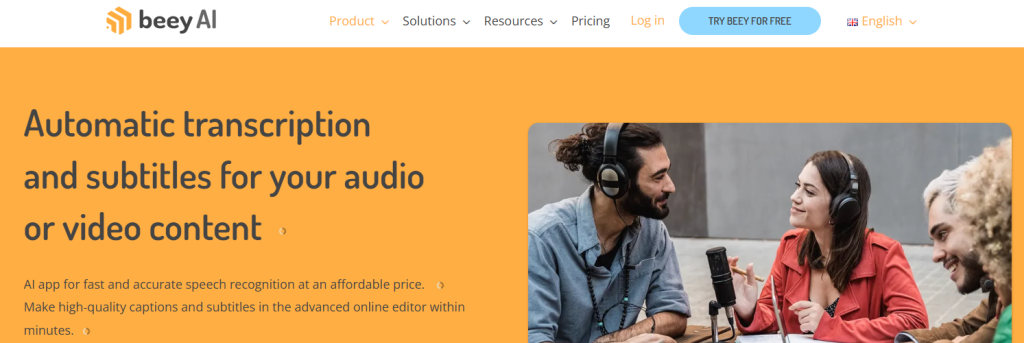
方法 3:使用 Beey 產生字幕
Beey specializes in turning video transcripts into subtitles, making it a strong choice for captioning Facebook uploads or even editing specialized content like DaVinci Resolve projects.
步驟:
- 複製您的 Facebook 視訊 URL。
- 登入 Beey 並開始一個新的轉錄專案。
- 貼上 URL,選擇您的影片語言,然後按一下 開始.
- 在 Beey 編輯器中檢閱和修正謄本。
- 將謄本轉換為字幕,並編輯講者姓名。
- 以 DOCX、PDF、SRT、VTT 或其他字幕格式匯出。
👉 牛肉最適合用於 建立可上傳的字幕檔案 適用於 Facebook 視訊。
比較 VOMO、Rev 和 Beey
| 工具 | 價格 | 精確度 | 速度 | 匯出格式 | 最適合 |
|---|---|---|---|---|---|
| VOMO | 提供免費方案,高級方案 $7.99 起/週 | 高達 99%+ | 即時錄音 + 即時謄本 | 連結 | 錄音 + 轉錄一步完成 |
| 修訂 | $14.99 每使用者/月 | 高達 99% | 5 分鐘視訊 → 2 小時 | txt, docx, pdf, srt | 可靠的 URL 轉錄 |
| Beey | 25 歐元/月 | / | 5 分鐘視訊 → 30 秒 | docx、pdf、srt、 | 字幕創作 |
跨平台將音訊轉錄為文字
If you also work with 播客, lectures, or interviews, the same tools you use for Facebook videos can handle 音訊轉換為文字. This saves time by letting you use a single platform for all transcription needs.
Facebook 視訊轉文字與其他平台的比較
Transcription for Facebook works much like TikTok, 縮放, or Vimeo. Any video to text workflow follows the same steps: upload, transcribe, edit, and export. A multi-platform tool ensures flexibility no matter where your content lives.
常見問題
如何在 Facebook 影片中加入字幕?
上傳您的影片,前往「編輯影片」,然後上傳 SRT 檔案(從 VOMO、Rev 或 Beey 下載)。
字幕和轉錄有什麼不同?
字幕是顯示在視訊上的簡短文字,而轉錄則是完整的書面語音記錄 - 適用於部落格或學習筆記。
如何在 Facebook 上開啟翻譯字幕?
按一下視訊播放器上的 CC 圖示,然後選擇您偏好的語言。
轉錄我的影片最快的方法是什麼?
VOMO 可立即轉錄高品質的音訊,是 Facebook 視訊轉錄最快的工具之一。
最終想法
將 Facebook 影片轉錄為文字比以往更容易。無論您選擇 錄音 + 轉錄的 VOMO, 簡化修訂或 Beey for 字幕您將可以省下數小時的手動工作,並讓您的影片更吸引人、更容易觀賞、更適合 SEO。
