
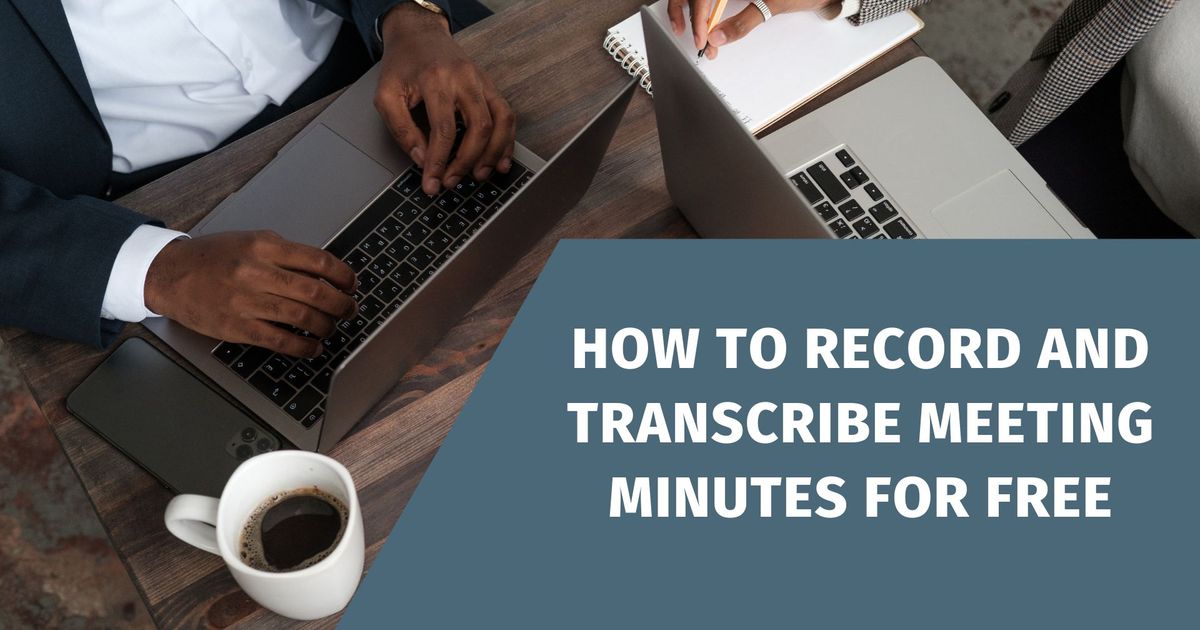
Sitzungsprotokolle kostenlos aufzeichnen und transkribieren - Vomo
Sitzungsprotokolle kostenlos aufzeichnen und transkribieren - Vomo
Genaue Sitzungsprotokolle are essential for keeping all participants informed, accountable, and aligned with action items. VOMO AI offers a robust, user-friendly solution for Umwandlung von Audio in Text, making it easy to record and transcribe dictation, Sprachmemos, and even video.
With advanced AI models powering its accuracy, VOMO AI’s seven-day trial with unlimited transcriptions lets you create detailed AI Besprechungsnotizen effortlessly—even using YouTube-Transkripte as a source.
VOMO herunterladen Kostenlose Transkription starten
The Real Problem: Why Traditional Meeting Minutes Don’t Work Anymore
After testing different note-taking methods across meetings, one issue becomes obvious:
Manual meeting notes simply don’t scale.
In realen Szenarien:
- Important points are missed while writing
- Conversations move too fast to capture accurately
- Notes become incomplete or inconsistent
This is why relying only on manual note-taking often leads to poor meeting documentation and inconsistent records.
The Complete Workflow: From Recording to Actionable Meeting Minutes
From actual usage, transcribing is only part of the process.
A complete workflow looks like this:
- Record the meeting
- Transcribe the audio
- Structure the transcript
- Extract key decisions and action items
The biggest gap in most tools is that they stop at step 2—leaving users to manually finish the rest.
Why Transcripts Alone Are Not Enough for Meetings
A raw transcript is useful—but not practical for daily work.
In der Praxis:
- It’s too long to read
- Key decisions are buried
- No clear action items
Was die Nutzer wirklich brauchen, ist:
- Zusammenfassungen
- Structured notes
- Assigned responsibilities
This is where AI-generated meeting minutes become significantly more valuable than plain transcripts.
Speaker Identification: The Key to Usable Meeting Notes
In multi-speaker meetings, identifying who said what is critical.
From real testing:
- Without speaker labels, transcripts become confusing
- It’s difficult to assign responsibilities
- Context is easily lost
Accurate speaker identification transforms transcripts into usable meeting documentation.
Das Verständnis der Unterschiede zwischen Transkription und Transkription formatting helps transform raw text into usable meeting documentation.
The Automation Gap: Why Most Workflows Still Feel Manual
Even with AI tools, many workflows still require multiple steps.
Typical issues include:
- Switching between recording, transcription, and summarization tools
- Manually copying and pasting transcripts
- Formatting notes after generation
An efficient system should:
- Automatically convert speech to text
- Instantly generate structured summaries
- Reduce manual intervention to near zero
Recording Constraints: What Happens When You Can’t Use Bots or Install Apps
In many professional environments, company policies may block AI bots from joining meetings. This makes flexible options essential, such as using a Video zu Text converter on mobile or uploading existing M4A files for later transcription.
Common limitations include:
- No permission to install software
- Restrictions on AI bots joining meetings
- Company policies blocking third-party tools
This makes flexible recording options essential, such as:
- Mobile recording
- Uploading existing audio files
- Offline capture + later transcription
Privacy and Compliance: What You Must Consider Before Recording Meetings
Meeting recordings often involve sensitive information.
From practical experience, this raises important concerns:
- Is recording allowed in your organization?
- Are participants aware of the recording?
- Where is the data stored and processed?
Zu den bewährten Praktiken gehören:
- Always checking company policies
- Informing participants when required
- Using secure tools for storage and processing
Before you record the phone call or meeting, check if recording is allowed in your specific state or organization.
Real-Time vs Post-Meeting Transcription: Which Works Better?
Es gibt zwei Hauptansätze:
Echtzeit-Transkription
- Immediate results
- Useful for live captions
- May sacrifice accuracy
Post-Meeting Transcription
- Höhere Genauigkeit
- Better formatting
- morereliable summaries
In most professional scenarios, post-meeting processing delivers better results.
Managing Multiple Meetings: Scaling Your Workflow
When handling multiple meetings per day or week, organization becomes critical.
Common challenges include:
- Tracking multiple recordings
- Matching transcripts to meetings
- Finding key information later
A scalable workflow should include:
- Organized file structure
- Durchsuchbare Transkripte
- Centralized storage
From Notes to Decisions: The Real Value of AI Meeting Minutes
The real goal is not just recording meetings—it’s improving decision-making.
Effective meeting minutes should:
- Capture key discussion points
- Highlight decisions made
- Assign clear action items
This transforms meetings from:
👉 passive conversations
zu
👉 structured, actionable workflows
Warum VOMO AI für die Transkription von Sitzungsprotokollen wählen?
VOMO AI bietet eine umfassende Reihe von Funktionen, die den Prozess der Aufzeichnung und Transkription von Sitzungsprotokollen rationalisieren. Hier erfahren Sie, warum VOMO AI so besonders ist:
- Unbegrenzte Transkriptionen: During the trial, VOMO AI allows you to testTop AI Transkriptionsdiensteohne Einschränkungen.
- Genaue Transkriptionen: Verwendet fortschrittliche Sprache-zu-Text-Modelle wie Nova-2, Azure Whisper und OpenAI Whisper, um eine hohe Genauigkeit zu gewährleisten.
- Automatische Textformatierung: VOMO AI formatiert den transkribierten Text automatisch, so dass er leicht zu lesen und zu bearbeiten ist.
- Identifizierung des Sprechers: Unterscheidet automatisch zwischen verschiedenen Sprechern und sorgt für Klarheit und Ordnung in den Transkriptionen.
- AI-gestützte Zusammenfassungen: Der KI-Assistent erstellt prägnante Zusammenfassungen und extrahiert die wichtigsten Punkte aus den Transkriptionen, was die Produktivität erhöht.
Aufzeichnung und Transkription von Besprechungsprotokollen mit VOMO AI
Schritt 1: Audio aufnehmen oder hochladen
VOMO AI bietet mehrere Möglichkeiten, Audio für die Transkription zu importieren:
- Direkt in VOMO aufzeichnen: Nehmen Sie direkt in der App hochwertige Audiodaten auf, ideal für die Aufnahme von Meetings unterwegs.
- Audiodateien hochladen: Importieren Sie Audiodateien von Ihrem Gerät in verschiedenen Formaten zur Transkription.
- Stapelimport von iPhone-Sprachmemos: Efficientlytransfer voice memos from iPhoneto the platform for quick processing.
Schritt 2: Automatische Transkription
Once the audio is uploaded, VOMO AI instantly converts the voice to text. It can even MP4 in Text umwandeln if your meeting was recorded as a video file.
Beispiel-Prompts für die Verwendung von VOMO AI's Ask AI Feature
Hier finden Sie einige Hinweise, wie Sie die Ask AI-Funktion in VOMO AI in verschiedenen Szenarien optimal nutzen können:
Geschäftstreffen
- Zusammenfassung der wichtigsten Punkte: "Fassen Sie die wichtigsten Diskussionspunkte dieses Treffens zusammen."
- Extrahieren von Aktionspunkten: "Listen Sie alle Maßnahmen und zugewiesenen Verantwortlichkeiten aus dieser Niederschrift auf."
- Erstellen von Follow-up-E-Mails: "Entwerfen Sie eine Follow-up-E-Mail auf der Grundlage der in dieser Sitzung besprochenen Maßnahmen".
Interviews
- Hervorhebung wichtiger Antworten: "Heben Sie die wichtigsten Antworten der befragten Person hervor."
- Zusammenfassende Interviews: "Fassen Sie die wichtigsten Punkte dieses Gesprächs zusammen".
- Zitate für Artikel extrahieren: "Entnehmen Sie diesem Interviewprotokoll Zitate, die für einen Artikel geeignet sind."
Schlussfolgerung
Die Aufzeichnung und Transkription von Sitzungsprotokollen kann mühelos und kosteneffizient sein mit VOMO AI. Melden Sie sich für eine kostenlose siebentägige Testversion an und erleben Sie den Komfort von unbegrenzten Transkriptionen, genauen Zusammenfassungen und mehr. Verändern Sie Ihre Arbeitsabläufe mit der Leistung von KI und stellen Sie sicher, dass Ihre Besprechungsprotokolle immer präzise und gut organisiert sind.
SHARE :
Facebook Twitter Reddit Linkedin
VOMO FOR MEETINGS
Transform Your Meetings with VOMO
Experience seamless meeting recording, highly accurate transcription, and intelligent summarization. Let VOMO be your dedicated note-taker while you focus on what matters most.