

音訊轉文字 對於經常在會議、面試和記筆記之間奔波的我來說,這些應用程式絕對是我的救星。
無論您是嘗試謄寫講義的學生、採訪的記者,或是在旅途中管理想法的內容創造者,在 iPhone 上擁有合適的語音轉文字應用程式,都能讓您的生活大為不同。
我已測試過許多產品,在本指南中,我將分享十大產品 語音轉文字 apps for iPhone in 2026, covering both free and paid options.
此外,如果您正在尋找 適用於 Android 手機的 AI 轉錄工具 或 PC 線上音訊轉錄工具, 您可以在這裡查看。
特別是,如果您是 尋找 AI 會議記錄員, 看看這個。

什麼是音訊轉文字應用程式?
音訊轉文字應用程式可讓您轉換口語單字,包括在 M4A 音訊檔案, into written text using AI-powered voice recognition. These apps can transcribe both live speech and pre-recorded audio, making them ideal for note-taking, meeting minutes, podcast transcriptions, and accessibility purposes. Most modern tools support multiple languages and provide real-time transcription, file export, and editing features to handle formats like M4A efficiently.
What Makes a Good Audio to Text App on iPhone? Key Features That Actually Matter
After testing multiple iPhone transcription apps, it becomes clear that most tools are judged on a few critical factors:
- Accuracy in real-world conditions
- Ability to handle long recordings
- Ease of use during recording or upload
However, beyond these basics, the real difference lies in the features that impact everyday usability—especially in scenarios like meetings, lectures, or interviews.
Below is a breakdown of the most important features to look for when choosing an audio transcription app on iPhone:
| 特點 | 說明 |
|---|---|
| 精確度 | 轉錄精確度 can vary significantly. While most modern AI tools perform well in ideal conditions, accuracy drops in noisy environments or when multiple speakers overlap. In testing, tools like Otter can fall to around 85% accuracy in complex scenarios. |
| 即時轉錄 | Essential for live use cases such as meetings, calls, or lectures. |
| 離線支援 | Important when Wi-Fi or data connection is unstable or unavailable. |
| 語言種類 | Crucial for bilingual or multilingual users. |
| 匯出格式 | Support for TXT, PDF, or SRT is valuable for content creators and professionals. |
| 喇叭偵測 | Helps distinguish between multiple speakers in group conversations. |
| 應用程式整合 | Seamless syncing with iOS tools like Voice Memos or Siri improves workflow efficiency. |
| Output quality | Some apps provide raw transcripts, while others generate structured summaries or notes, which can significantly improve usability. |
Many apps may appear similar at first glance, but their real performance differences only become obvious in real-world scenarios—especially in noisy environments or multi-speaker conversations.
提示:轉錄品質與音訊品質息息相關。如果您對此不熟悉,我們有 如何在 iPhone 上錄製高品質音訊的指南.
適用於 iPhone 的頂級音訊轉文字應用程式比較表
| 應用程式名稱 | 最適合 | 免費計劃 | 離線工作 | 匯入音訊/視訊 | 喇叭偵測 | 筆記/編輯功能 |
|---|---|---|---|---|---|---|
| 蘋果 聽寫 | 內建快速語音輸入功能 | ✅ | ✅ | ❌ | ❌ | ❌ |
| VOMO | 內建 AI 筆記摘要功能,可快速、精準地轉錄筆記 | ✅ | ❌ | ✅ | ✅ | ✅ |
| 水獺 | 具備協作功能的會議記錄 | ✅ | ❌ | ✅ | ✅ | ✅ |
| 諾塔 | 雙語會議的謄寫和翻譯 | ✅ | ❌ | ✅ | ✅ | ✅ |
| Rev 語音錄製器 | 精確的轉錄服務和安全的錄音 律師 | ❌ | ❌ | ✅ | ✅ | ✅ |
| AI 筆記員 | 即時處理能力和多語言支援 | / | ❌ | ✅ | ❌ | ✅ |
| 轉錄r | 謄寫私人助理 | ✅ | ❌ | ✅ | ❌ | ✅ |
| iTranscribe | 語音記錄器和即時謄錄器 | ❌ | ❌ | ✅ | ❌ | ✅ |
| 聽寫 | 切換不同語言 | ❌ | ❌ | ❌ | ✅ | ✅ |
| 聲音類型 AI | 長音訊轉錄 | ✅ | ❌ | ✅ | ✅ | ✅ |
Why iPhone’s Built-in Dictation Is Not Enough
From practical experience, Apple’s built-in dictation and voice tools are limited.
In real use:
- Accuracy drops with longer speech
- No structured transcript output
- No speaker identification
- Not suitable for long recordings
This makes native tools useful only for short voice input—not full transcription workflows.
The Biggest Frustration: Free Plans That Run Out Too Fast
One of the most common issues is usage limits. Exploring top AI transcription services with free trials can help you find options that fit your budget before committing.
In testing:
- Free plans often include strict minute caps
- Limits can be reached within a single session
- Long recordings are rarely supported
This creates a mismatch between:
👉 what users expect (unlimited use)
👉 what apps actually offer
深入評論最佳語音轉文字應用程式
1. 蘋果聽寫
最適合 內建快速語音輸入功能
Apple Dictation 已內建在每部 iPhone 中,因此是最容易上手的工具。它對於短暫的語音非常準確,並支援多種語言。我經常使用它來快速傳送訊息,而且離線模式對於下載的語言效果出奇地好。
2. VOMO
最適合 內建 AI 筆記摘要功能,可快速、精準地轉錄筆記
VOMO 提供從語音記事本或匯入檔案快速、精準的語音轉文字功能。我發現它非常有用,當我準備處理轉錄的文字時,AI 摘要已經整理好了。 會議記錄 對我來說很整齊。.
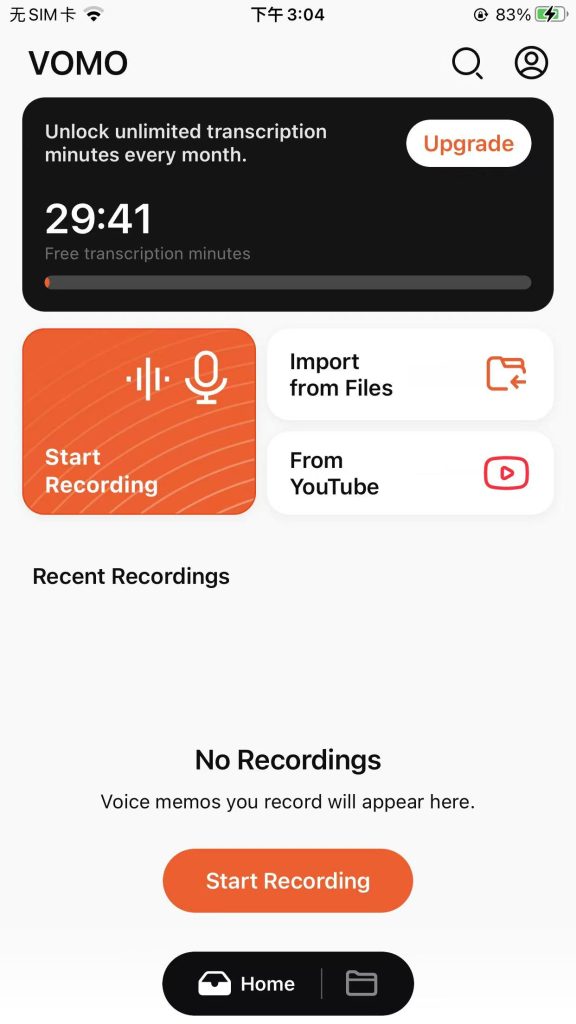
免費計劃:30 分鐘的免費抄寫時間。
付費訂閱:1.92 美元/週,年付
3. 水獺
最適合 具備協作功能的會議記錄
Otter 的即時轉錄和跨平台同步功能讓它成為團隊會議和訪談的首選。我依賴它的即時轉錄和 AI 摘要快速掌握討論要點,而高亮顯示和評論部分的功能也大大節省了時間。
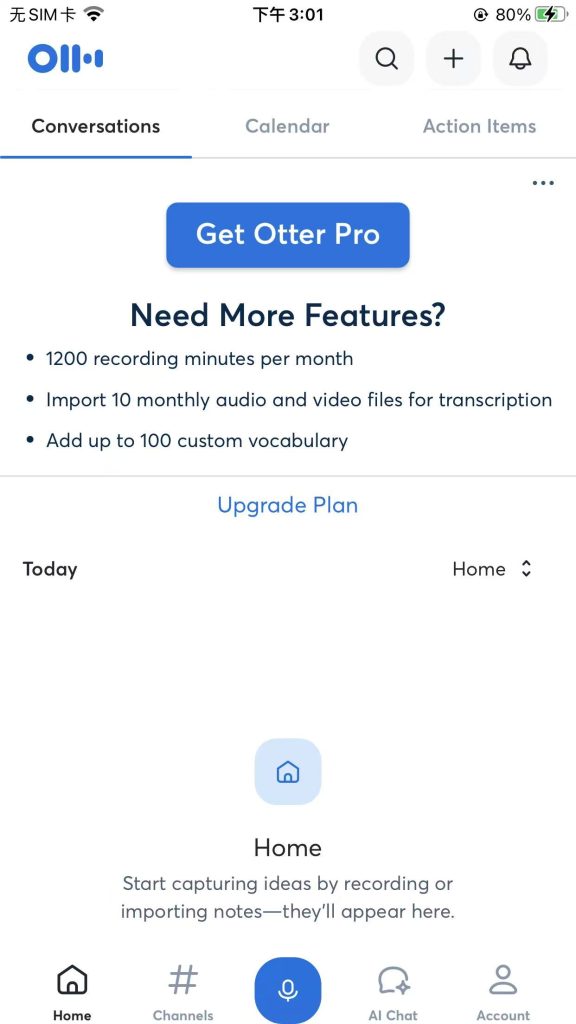
免費計劃:每月轉錄 300 分鐘;每次談話 30 分鐘;每位使用者終身可輸入和轉錄 3 個音訊或視訊檔案
付費訂閱: 8.33 美元/月
4. 諾塔
最適合 雙語會議的謄寫和翻譯
除了基本的轉錄功能外,Notta 的突出功能是雙語會議的轉錄與翻譯。
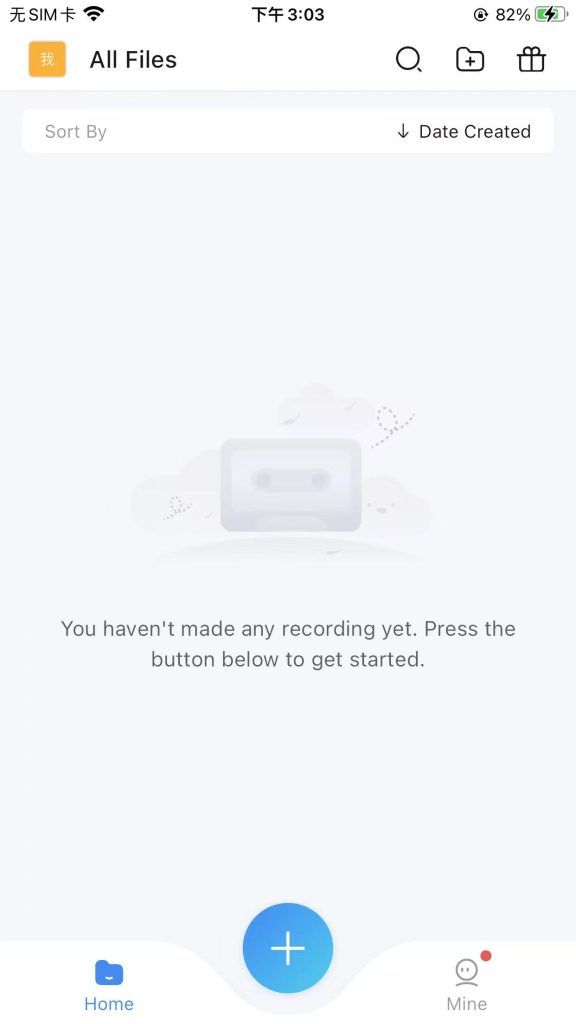
免費計劃:120 轉錄分鐘/月。但每次對話只限 3 分鐘,使得免費計劃幾乎無法使用。
付費訂閱:專業版每月 $13.49;商務版每月每個座位 $27.99;年付可享 40% 優惠。
5. Rev 語音錄製器
最適合 精確的轉錄服務和安全的錄音 律師
Rev 強調精確的轉錄、安全的錄音以及合規性。如果您需要超精準的轉錄、安全的錄音和智慧型 AI 摘要,尤其是法律或專業工作,Rev 絕對是您的最佳選擇。
免費計劃沒有
付費訂閱:基本版 $9.99 每位使用者/月 專業版 $20.99 每位使用者/月
6. AI 筆記員
最適合 即時處理能力和多語言支援
如果您正在尋找一款能立即轉錄您的說話,並能像專業人士一樣處理多國語言的應用程式,那麼 AI Note Taker 就是您的最佳選擇 - 您會看到您說話時所出現的字句!
免費計劃:我找不到它的價格資訊。
付費訂閱: /
7. 轉錄器 - 語音轉文字
最適合 謄寫私人助理
This app supports over 120 languages and works offline. I’ve used it to 轉錄 YouTube 影片 and webinar recordings—just import the file and get text quickly. It’s flexible, especially when working with media content.
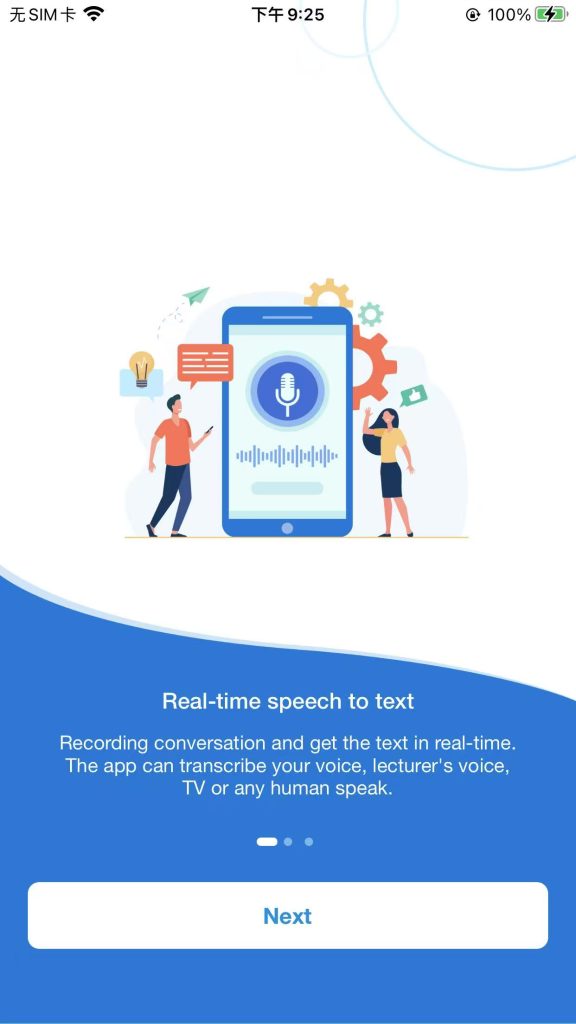
免費計劃:30 分鐘免費轉錄
付費訂閱:$19.99/month
8. iTranscribe - 音訊轉文字
最適合 語音記錄器和即時謄錄器
iTranscribe 整合了轉錄、翻譯、錄音、搜尋、重播、管理和分享等功能於一個應用程式中。我發現了一個有趣的功能:它可以搜尋語音筆記中的任何字詞,並可調整播放速度。
免費計劃:無免費計劃。有 3 天免費試用,需要使用信用卡。
付費訂閱:$5.99/週
9. 聽寫 - 語音轉文字
最適合 切換不同語言
AI Transcribe 支援 100 多種語言,Dictate 則支援 40 多種語言。Dictate 提供 3 個文字區域 (以語言旗標示),您可以在設定中為這些區域設定不同的語言。因此,您只需按一下即可在不同語言的專案之間切換。
免費計劃沒有
付費訂閱:$5.99/月
10. 聲音類型 AI
最適合 長音訊轉錄
SoundType 可以識別講話者,因此非常適合會議轉錄。它也擅長長音訊轉錄。
免費計劃:每月 180 分鐘免費轉錄。但是,每次轉錄時間最長為 8 分鐘,因此不太適合。
付費訂閱:$6.67/月
免費 vs 付費:哪個更好?
Apple Dictation 等免費工具非常適合臨時需求。如果您經常進行謄寫或需要發言人偵測、摘要或團隊協作,請考慮升級至 VOMO、Otter、Notta 或 SoundType AI。
| 工具類型 | 使用個案 | 功能限制 | 付款要求 |
|---|---|---|---|
| 免費工具(例如 Apple 聽寫器) | 適用於簡單的日常需求 | 僅支援基本的轉錄功能。轉錄次數、每次會話的持續時間和音訊長度通常都有限制。 | 無需付款 |
| 進階功能 | 適用於頻繁和複雜的需求 | - 長時間轉錄、 - 喇叭偵測 - AI 總結 - 團隊合作 – Integration with online platforms, such as 縮放 and others | 需要付款或訂閱 |
選擇正確的轉錄應用程式
| 使用者群組 | 推薦的音訊轉文字應用程式 |
|---|---|
| 學生 | VOMO |
| 商業專業人士 | Notta, Otter.ai |
| 記者 | VOMO |
| 層數 | 修訂 |
| 無障礙需求 | 蘋果聽寫 |
Real-World Accuracy: Why Environment Matters More Than the App
Accuracy is not just about the tool—it’s about the recording conditions.
在真實情境中:
- Background noise reduces clarity
- Multiple speakers increase errors
- Accents and speed affect recognition
Even top apps can struggle if the audio quality is poor.
Real-World Accuracy: Why Environment Matters More Than the App
Accuracy is not just about the tool—it’s about the recording conditions.
在真實情境中:
- Background noise reduces clarity
- Multiple speakers increase errors
- Accents and speed affect recognition
Even top apps can struggle if the audio quality is poor.
Live Transcription vs File Upload: Which One Should You Use?
There are two main ways to transcribe audio on iPhone:
即時轉錄
- Works in real-time
- Best for conversations and accessibility
File Upload Transcription
- More accurate
- Better for lectures, podcasts, and recordings
Choosing the wrong method often leads to poor results.
Why Multi-App Workflows Kill Productivity
Many users initially rely on multiple tools:
- One for recording
- One for transcription
- One for summarization
In practice, this creates:
- Workflow friction
- Time loss
- Context switching
An integrated solution is significantly more efficient.
Beyond Transcription: Why Summaries and Notes Matter
Modern users don’t just want transcripts.
They want:
- 主要心得
- 結構化摘要
- 行動項目
Without these, transcripts become:
👉 difficult to use
👉 time-consuming to process
Is There an All-in-One Solution for Recording, Transcribing, and Summarizing?
The ideal workflow combines:
- 錄音
- 轉錄
- 組織架構
- AI 驅動的洞察力
Instead of switching between tools, all-in-one platforms simplify the process and reduce effort significantly.
Is There an All-in-One Solution for Recording, Transcribing, and Summarizing?
The ideal workflow combines:
- 錄音
- 轉錄
- 組織架構
- AI 驅動的洞察力
Instead of switching between tools, all-in-one platforms simplify the process and reduce effort significantly.
Offline vs Online Transcription: What Actually Works Better
Some tools offer offline transcription, while others rely on cloud processing.
實際上:
- Offline = better privacy, lower accuracy
- Online = higher accuracy, more features
Choosing between them depends on your use case.
常見問題
iPhone 有內建語音轉文字功能嗎?
是的,Apple 聽寫是免費的,而且內建在 iOS 中。
我可以轉錄錄音嗎?
是的,大多數應用程式都支援匯入音訊檔案。
這些應用程式安全嗎?
大多數提供隱私權選項,但 MacWhisper 等離線工具可確保完全控制。
我可以錄製通話嗎?
是的、 有許多應用程式可以幫助您錄製電話通話, 以下是指南。
